---
title: "Creating a blog with Middleman and Netlify CMS | Netlify"
description: "Realize the speed, agility and performance of a scalable, composable web architecture with Netlify. Explore the composable web platform now!"
source: "https://www.netlify.com/blog/2017/04/20/creating-a-blog-with-middleman-and-netlify-cms/"
last_updated: "2026-07-14T21:02:23.000Z"
---
I am a believer that you can’t build a ship while sailing it, which is why it is my opinion that building a blog from scratch takes away from actually writing blog posts. Thanks to [Site Generators](http://www.staticgen.com/) you can get a decent looking blog up with the focus being on creating content.
Static site generators like [Hugo](http://themes.gohugo.io/) and [Jekyll](http://jekyllthemes.org/) provide a streamlined solution where you can add a styled themed with low effort.

Getting started is always the easy part, but staying consistent is where most aspiring bloggers fall short. At Netlify we sought out to help solve this with an open source solution and it’s the [Netlify CMS](https://www.netlifycms.org/).
Regardless of your choice in site generator, you can use Netlify CMS and it only requires a few steps to set up. I will walk through getting this set up on my personal [blog](http://briandouglas.me), which was created using [Middleman](https://middlemanapp.com/).
## Setup
You first need to create an admin folder in my public folder, which for Middleman is called `source`. In this folder, I copied the following content a new `index.html` file.
```
Content Manager
```
This index.html is also available in the CMS’s [README](https://github.com/netlify/netlify-cms/blob/master/README.md). You will also need a `config.yml` in the same folder. I have updated my folder location to source `posts`, which is the location of all my blog content. I original set this folder in my middleman config as the [blog.prefix in my config.rb](https://github.com/bdougie/blog/blob/5c94ffa6d99b244ee5ae9db841bb25dde63b4e21/config.rb#L24).
```
backend: name: github repo: owner/repo # Path to your GitHub repository branch: master # Branch to update (master by default)
media_folder: "img/uploads" # Folder where user uploaded files should go
collections: # A list of collections the CMS should be able to edit - name: "post" # Used in routes, ie.: /admin/collections/:slug/edit label: "Post" # Used in the UI, ie.: "New Post" folder: "source/posts" # The path to the folder where the documents are stored create: true # Allow users to create new documents in this collection fields: # The fields each document in this collection have - {label: "Title", name: "title", widget: "string", tagname: "h1"} - {label: "Body", name: "body", widget: "markdown"} - {label: "Foo", name: "foo", widget: "foo"} - {label: "Publish Date", name: "date", widget: "datetime"}
```
**Connecting GitHub as a backend and authenticator**
The power of the CMS comes from using GitHub as your backend, which is the default git-based authenticator and integrates with Netlify’s [Authentication Provider feature](https://www.netlify.com/docs/authentication-providers). This means that the CMS integrates directly with GitHub’s API for updating and save posts. To get everything connected for continuous deployment from GitHub to Netlify follow [this documentation](https://www.netlify.com/docs/authentication-providers) to create a GitHub Oauth application.
Then go to the Access tab for your Netlify site and configure the GitHub provider with your new Client ID and Client Secret.
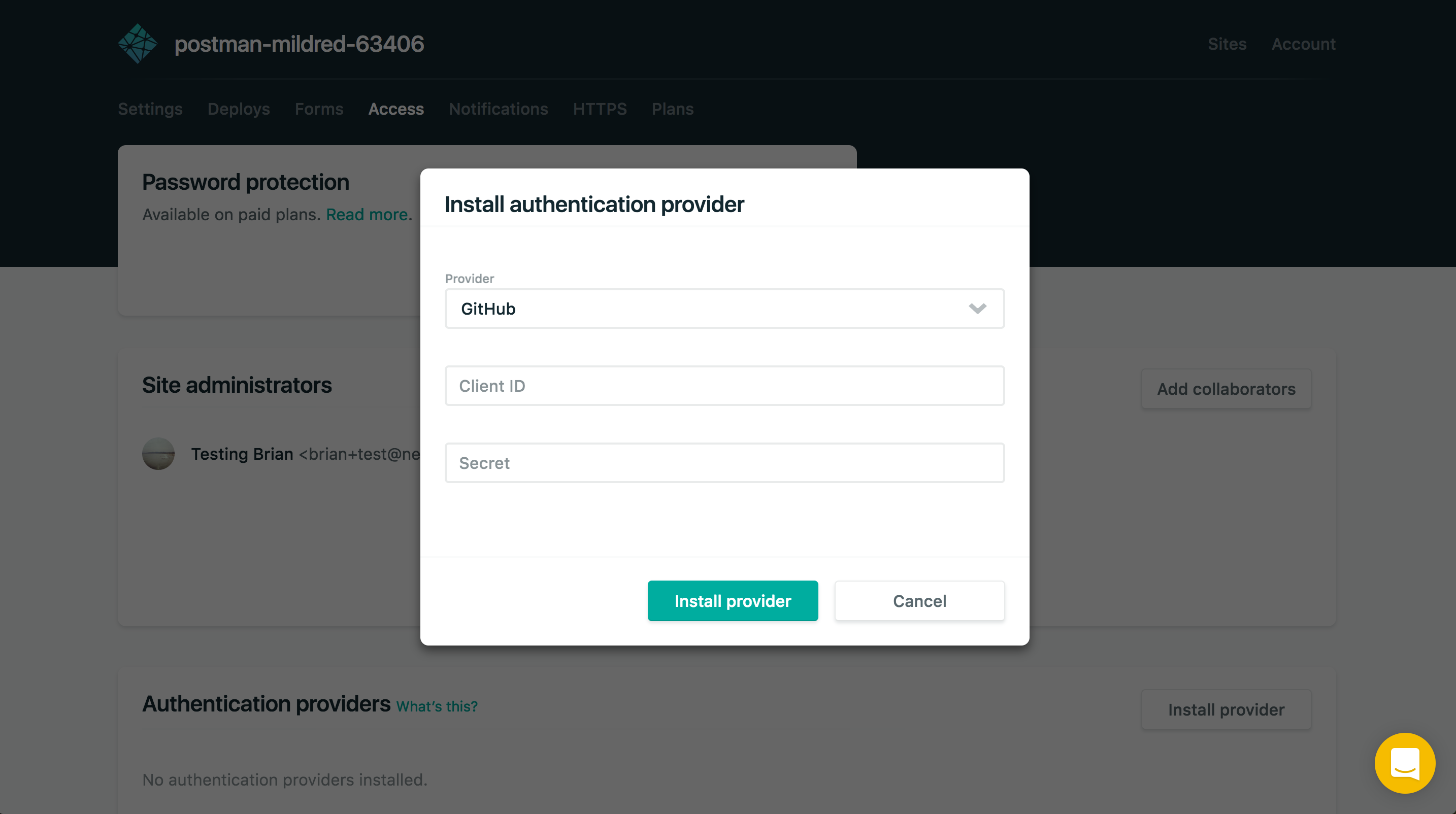
That completes the set up process, now you should be able to go to the `/admin` section of your site and log in.
**Create a post with the CMS**
Now that you can view the CMS, you can create, edit and update posts via your web browser. Start drafting a post by selecting the ✎ pencil in the menu bar.
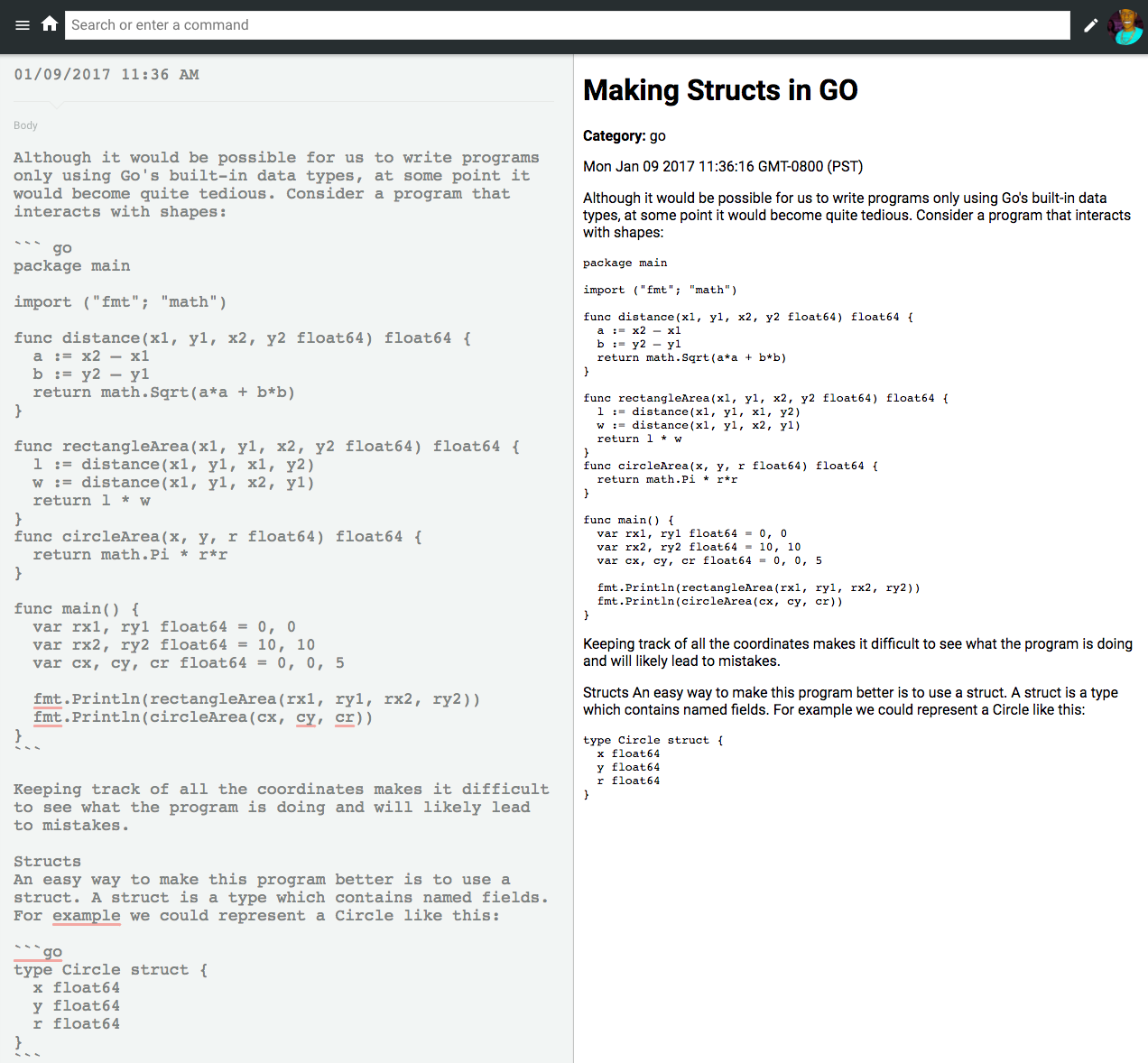
Each time you save a post, a GitHub commit will be made to the branch you selected in your config.yml. This could be ideal, but some posts might take more time, so I recommended adding a draft flag to the `admin/config.yml`. Middleman checks for drafts by using the `published` flag.
```
collections: # A list of collections the CMS should be able to edit ... fields: # The fields each document in this collection have - {label: "Draft", name: "published", widget: "hidden", default: "false"} ...
```
Now you can begin publishing directly to your blog’s repo without the need to constantly push and pull the latest changes. Feel free to review my blogs CMS admin setup to reference with your setup [here](https://github.com/bdougie/blog/tree/2d46d7f231b75b2790ba6ab3f41d32be7460162d/source/admin).
**And More**
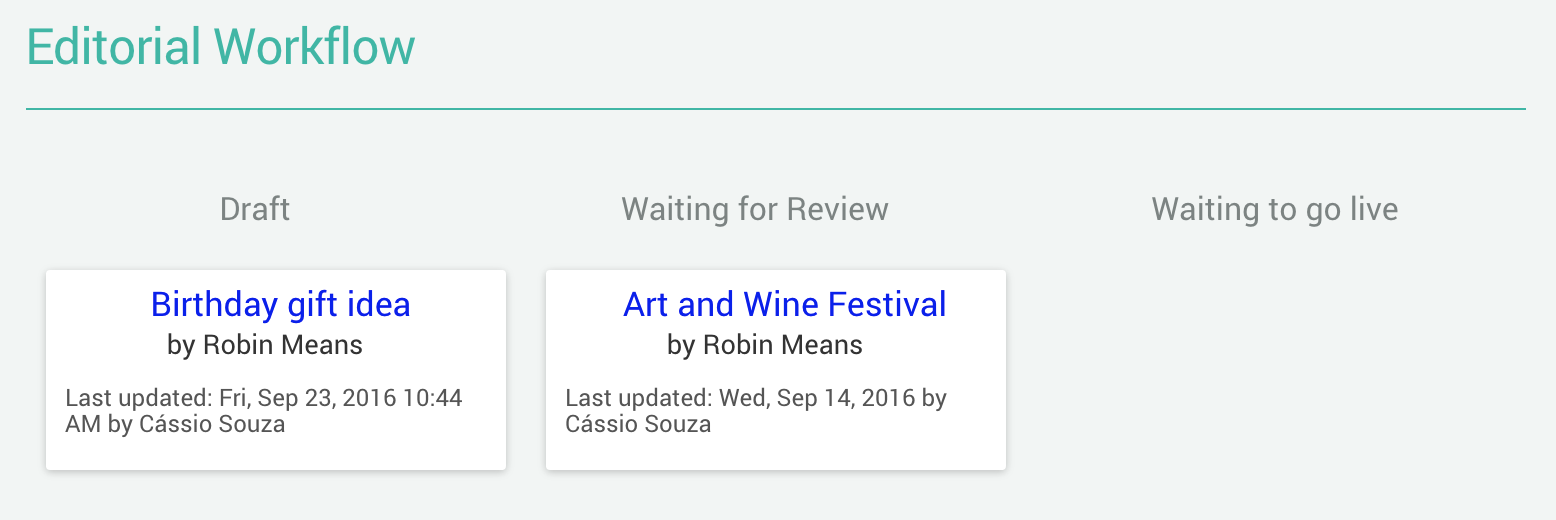
There are quite a few other things you can do with Netlify CMS. I encourage you to check out the repository’s [documentation](https://www.netlifycms.org/docs/) to find how to set up an editorial workflow that not only opens a new branch for you, but also creates a Pull Request to view the content changes and preview on a [deploy preview](/blog/2016/07/20/introducing-deploy-previews-in-netlify/).
We are hard at work on this open source tool, let us know in the [netlify-cms](https://github.com/netlify/netlify-cms) repository if there are any issues or if you have any feature requests. Pull requests are of course always welcomed!
### Share
- [X (fka Twitter)](https://twitter.com/intent/tweet?text=Creating a blog with Middleman and Netlify CMS&url=https://www.netlify.com/blog/2017/04/20/creating-a-blog-with-middleman-and-netlify-cms//)
- [LinkedIn](https://www.linkedin.com/shareArticle?mini=true&url=https%3A%2F%2Fwww.netlify.com%2Fblog%2F2017%2F04%2F20%2Fcreating-a-blog-with-middleman-and-netlify-cms%2F%2F)
- [Facebook](https://www.facebook.com/sharer.php?u=https://www.netlify.com/blog/2017/04/20/creating-a-blog-with-middleman-and-netlify-cms//)
- [Bluesky](https://bsky.app/intent/compose?text=Creating a blog with Middleman and Netlify CMS+https://www.netlify.com/blog/2017/04/20/creating-a-blog-with-middleman-and-netlify-cms//)
* * *
### Tags
- [CMS](/blog/tags/cms/)
- [Middleman](/blog/tags/middleman/)
## Keep reading

Guides & Tutorials May 15, 2026
[
### How to build a real-time AI chatbot in minutes with Netlify Agent Runners (no backend)
](/blog/how-to-build-a-real-time-ai-chatbot-in-minutes-with-netlify-agent-runners-no-backend)
- 
Nahrin Jalal

Guides & Tutorials May 15, 2026
[
### Tracking AI search traffic: how to use Netlify Log Drains to maximize AEO
](/blog/tracking-ai-search-traffic)
- 
Nahrin Jalal
## Recent posts
News & Announcements July 14, 2026
[
### More headroom, a lower per-credit rate, and a bill you can predict: introducing new Pro plan tiers
](/blog/new-pro-plan-tiers)
- 
Gehrig Kunz
News & Announcements July 13, 2026
[
### Netlify inside of Claude Design
](/blog/netlify-inside-of-claude-design)
- 
Sean Roberts
News & Announcements June 25, 2026
[
### Netlify Functions, designed for Agent Experience
](/blog/netlify-functions-designed-for-agent-experience)
- 
Eduardo Bouças
### How do the best dev and marketing teams work together?
[Access the report](https://www.netlify.com/reports/2024-leadership-trend-report/access/)