---
title: "Add a Netlify-powered contact form to your Next.js site"
description: "Accepting submissions to forms with Netlify and Next.js is straightforward, with just a few easy steps!"
source: "https://www.netlify.com/blog/2020/05/26/add-a-netlify-powered-contact-form-to-your-next-js-site/"
last_updated: "2026-07-15T01:27:02.000Z"
---
Hey all you cool cats and kittens, have you ever wanted to build a form into your website, but didn’t want to deal with setting up a way to pull in a backend, or an ugly 3rd party embedded one? Well, you’re in luck, thanks to [Netlify Forms](https://www.netlify.com/products/forms/?utm_source=blog&utm_medium=formspage-cs&utm_campaign=devex).

For this tutorial, let’s assume I have a Next.js application that is already styled up, and I want to add a Contact page.

Note: If you want to build along with me but don’t have a project to work with, try this [Next + Netlify starter project](https://github.com/netlify-templates/next-netlify-starter) that will give you a starting point!

[![Deploy to Netlify](https://www.netlify.com/img/deploy/button.svg)](https://app.netlify.com/start/deploy?repository=https://github.com/netlify-templates/next-netlify-starter&utm_source=formblog&utm_medium=nextstarter-cs&utm_campaign=devex)

# Creating a form

Now, the first thing I’m going to do is add a `contact.js` file to my `pages/` directory. This will automatically add a route in Next.js that people can navigate to.

```
export default function Contact() {    return (<div>Contact me!</div>)}
```

Now, let’s make ourselves a form component that we can put on this page. Head over to wherever your components live (mine is in my `components/` directory), and make a `ContactForm.js` file and stick something like this in there:

```
export default function ContactForm() {  return (    <form name="contact" method="POST">      <input type="hidden" name="form-name" value="contact" />      <p><input type="text" name="firstname" id="firstname" />        <label htmlFor="yourname">          Your Name:        </label> <br />        <input type="text" name="name" id="yourname" />      </p>      <p>        <label htmlFor="youremail">          Your Email:        </label> <br />        <input type="email" name="email" id="youremail" />      </p>      <p>        <label htmlFor="yourmessage">          Message:        </label> <br />        <textarea name="message" id="yourmessage"></textarea>      </p>      <p>        <button type="submit">Send</button>      </p>    </form>  )}
```

This is a pretty straightforward form, no real frills. You might notice we use `htmlFor` instead of `for` for the labels, and that’s because `for` is a reserved word in JavaScript!

Anyway, you can style it however you want, and import it into your `Contact` page component over in `pages/`:

```
  export default function Contact() {    return (      <div>+       <ContactForm />      </div>    )  }
```

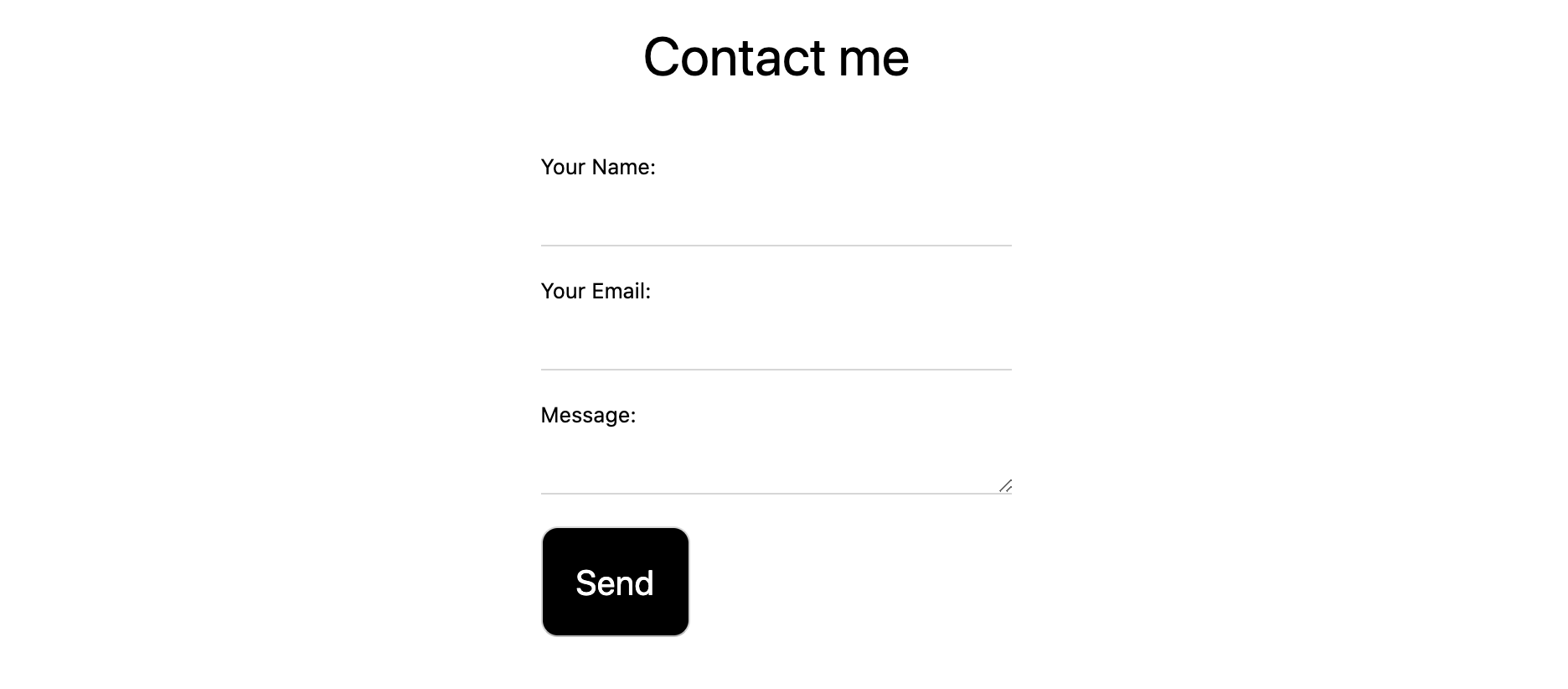
Alright, now run your application (typically with `yarn run dev` unless you changed it in your own project), and navigate to `localhost:3000/contact`! Depending on how you styled it, you should see a little something like this:
![Contact form styled](/v3/img/blog/contactpreview.png "Contact form")

Now, if you were to deploy this to Netlify right now, it won’t do anything. It’s a plain form with nothing hooked up to it to make the form data go anywhere. Let’s fix that, shall we?

# Adding Netlify to our form

Go back to your `ContactForm.js` and add `data-netlify="true"` to your `<form>` tag:

```
  export default function ContactForm() {    return (+     <form name="contact" method="POST" data-netlify="true">        <input type="hidden" name="form-name" value="contact" />        <p>          <label>    ...
```

Pretty dang simple, huh? We just have one more step that’s more Next.js-specific. Because of how Next.js handles routes, it will return a 404 page when you submit a Netlify-powered form (because the default page that Netlify generates upon successful submission is not listed in our existing routes). You have a few options here, like sending people back to the homepage (and adding some kind of query parameter in the URL to trigger a “success” message of some kind), set up a function that doesn’t let users redirect at all, or you could make a dedicated page for a successful form submission. Let’s do this last option!

Make a new file in your `pages/` directory, called `success.js`. In there, fill it with something like this:

```
export default function Success() {  return <div>Form successfully submitted!</div>}
```

Now, back in `ContactForm.js`, add an `action` attribute to your form that directs users to `/success`:

```
  export default function ContactForm() {    return (+     <form name="contact" action="/success" method="POST" data-netlify="true">        <input type="hidden" name="form-name" value="contact" />        <p>          <label>    ...
```

Now, go ahead and deploy your site to Netlify, and watch your form in action (pun intended)!

# Gathering submissions

From your site’s dashboard, you can click on “Forms” and go to your form named “contact” (the name comes from the hidden `input` that we put in our `ContactForm` component), and you can check out the Verified Submissions there!

![Verified submissions, with a hello world submission](/v3/img/blog/submissionspreview.png "Verified submissions!")

There’s even more options you can add to this form, like [extra spam prevention](https://docs.netlify.com/forms/spam-filters/#extra-spam-prevention) and adding a serverless function [on the `submission-created` event](https://docs.netlify.com/functions/trigger-on-events/#available-triggers) to capture the data!

# It’s done!

Now go forth, and try this out! If you’d like to see the example we made in action, [check out this repo](https://github.com/cassidoo/next-netlify-portfolio-starter) or click below to deploy your own version of it live:

[![Deploy to Netlify](https://www.netlify.com/img/deploy/button.svg)](https://app.netlify.com/start/deploy?repository=https://github.com/cassidoo/next-netlify-portfolio-starter&utm_source=github&utm_medium=nextportfoliostarter-cs&utm_campaign=devex)

### Share

-   [X (fka Twitter)](https://twitter.com/intent/tweet?text=Add a Netlify-powered contact form to your Next.js site&url=https://www.netlify.com/blog/2020/05/26/add-a-netlify-powered-contact-form-to-your-next-js-site/)
-   [LinkedIn](https://www.linkedin.com/shareArticle?mini=true&url=https%3A%2F%2Fwww.netlify.com%2Fblog%2F2020%2F05%2F26%2Fadd-a-netlify-powered-contact-form-to-your-next-js-site%2F)
-   [Facebook](https://www.facebook.com/sharer.php?u=https://www.netlify.com/blog/2020/05/26/add-a-netlify-powered-contact-form-to-your-next-js-site/)
-   [Bluesky](https://bsky.app/intent/compose?text=Add a Netlify-powered contact form to your Next.js site+https://www.netlify.com/blog/2020/05/26/add-a-netlify-powered-contact-form-to-your-next-js-site/)

* * *

### Tags

-   [Next.js](/blog/tags/next.js/)

## Keep reading

![](/images/blog-fallback-thumbnail.svg)

Guides & Tutorials May 18, 2020

[

### Handy new features in Next.js 9.4

](/blog/2020/05/18/handy-new-features-in-next.js-9.4/)

-   ![Profile picture of Cassidy Williams](/_astro/a62099fab0f946e063c4b84ff4b4d9c94f9aa7a5-400x400_ZdakPa.webp)
    
    Cassidy Williams
    

![](/images/blog-fallback-thumbnail.svg)

Guides & Tutorials June 18, 2020

[

### Next.js 101: What you should know

](/blog/2020/06/18/next.js-101-what-you-should-know/)

-   ![Profile picture of Cassidy Williams](/_astro/a62099fab0f946e063c4b84ff4b4d9c94f9aa7a5-400x400_ZdakPa.webp)
    
    Cassidy Williams
    

## Recent posts

News & Announcements July 14, 2026

[

### More headroom, a lower per-credit rate, and a bill you can predict: introducing new Pro plan tiers

](/blog/new-pro-plan-tiers)

-   ![Profile picture of Gehrig Kunz](/_astro/b4e9f58d914d1334ea70d53ea55a1f26b26f1445-512x512_17SwOI.webp)
    
    Gehrig Kunz
    

News & Announcements July 13, 2026

[

### Netlify inside of Claude Design

](/blog/netlify-inside-of-claude-design)

-   ![Profile picture of Sean Roberts](/_astro/bbf2243f8171dbddd80ab2103622106cef84d125-512x512_Z1d2LKE.webp)
    
    Sean Roberts
    

News & Announcements June 25, 2026

[

### Netlify Functions, designed for Agent Experience

](/blog/netlify-functions-designed-for-agent-experience)

-   ![Profile picture of Eduardo Bouças](/_astro/52958f21e8450baf6d8e60302341a984e220c0cd-512x512_13VDlu.webp)
    
    Eduardo Bouças
    

![](/_astro/3f255b372fa958df35802666ee33b4609b2d71bd-1200x1586_1VtE2D.webp)

### How do the best dev and marketing teams work together?

[Access the report](https://www.netlify.com/reports/2024-leadership-trend-report/access/)