Deploy Preview screenshots in agent runs
March 3, 2026
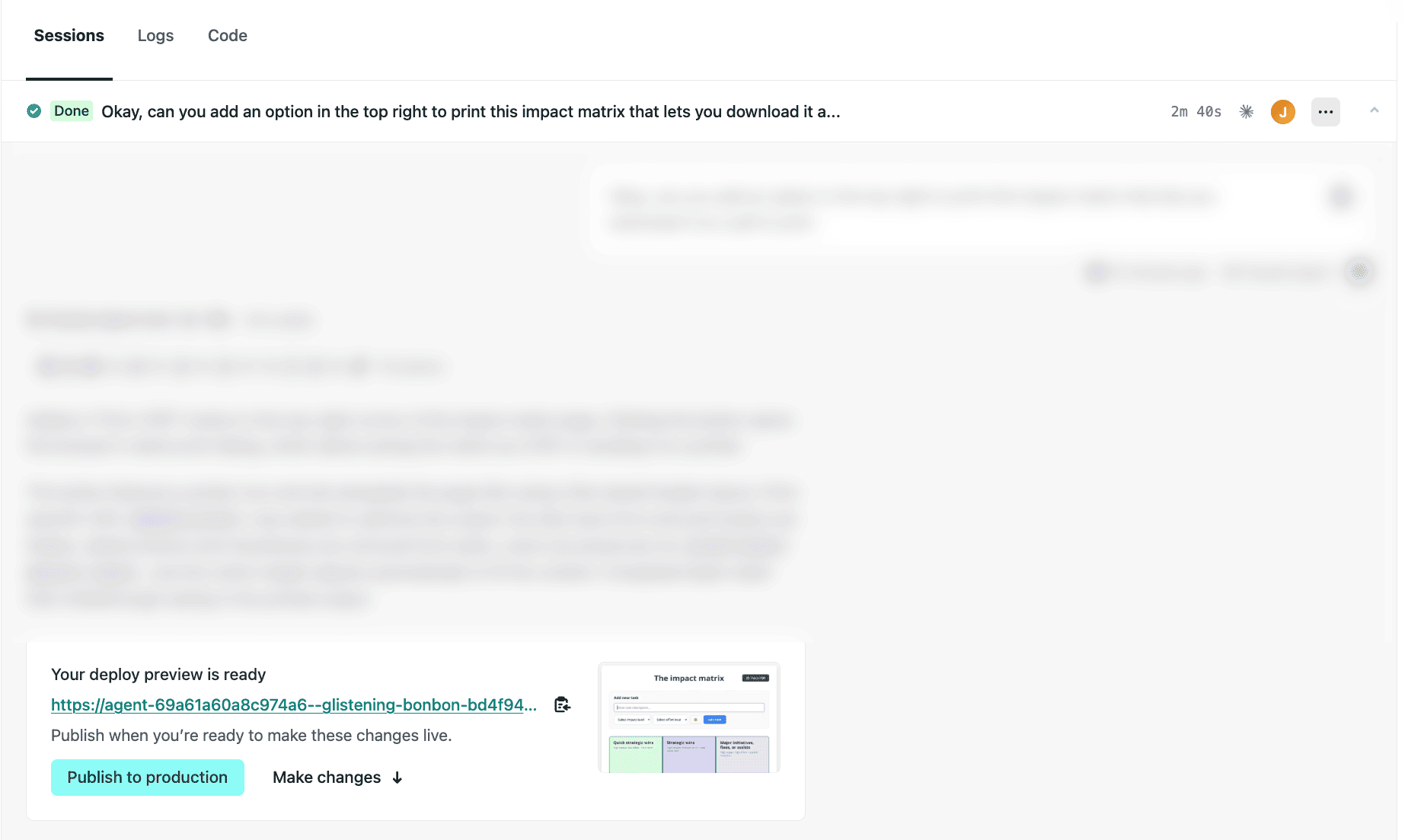
Starting today, all completed agent runs show a screenshot of your Deploy Preview. This makes it easier to quickly see the result of an agent run and keep track of agent run sessions without opening the full preview.
Test it out today:
- Go to your Netlify project dashboard.
- On the left, select Agent runs, then choose an existing agent run or start a new one by entering a prompt and selecting Run task.
- At the bottom of your agent run sessions, you’ll find a screenshot of your Deploy Preview. The screenshot is taken from the main page of your project.
Note: If you’ve set up private deploys or password protection, the screenshot will show a sign-in page instead. Learn more about Password protection.
Learn more about getting started with Agent Runners.