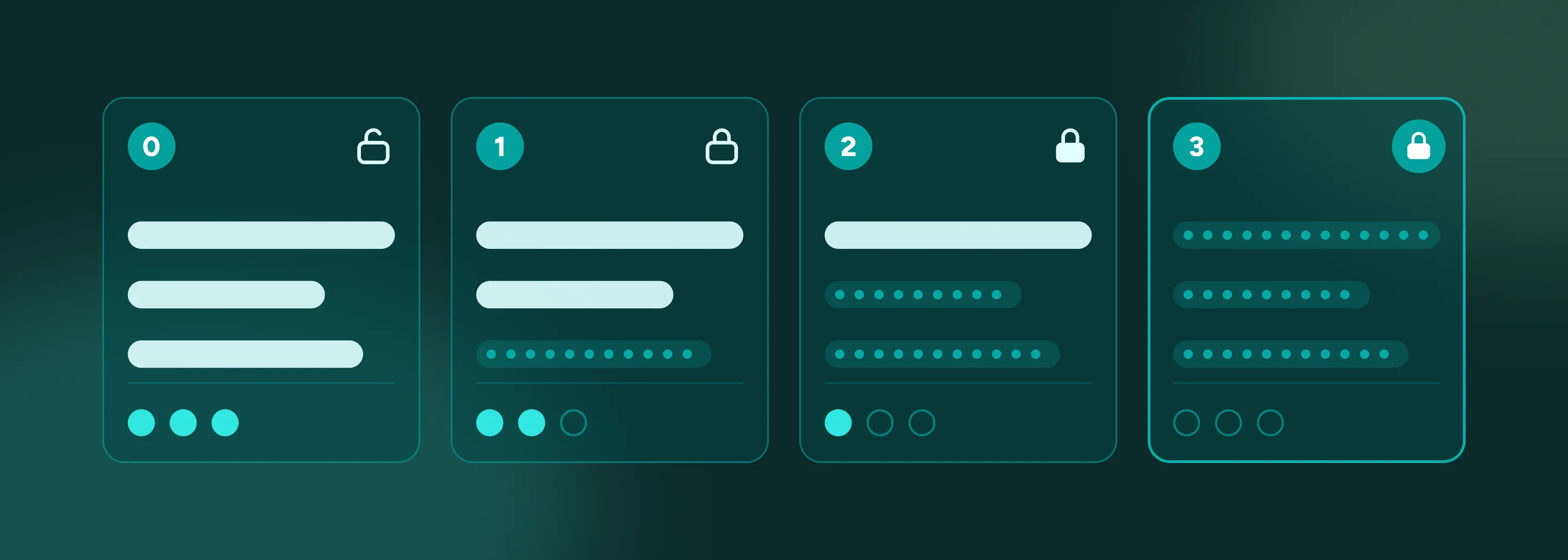
You know your team, your process and the information you work with every day. This guide helps you work out how much protection that information needs, what to ask your agent for, and what to set on the Netlify platform before anyone else logs in. This guide is practical guidance, not legal advice.
When Netlify’s People team started building their own tools, the hardest questions weren’t about features. They were about data. Who should be able to see survey answers? Could the engineers helping to test the app read them too? Who, exactly, counted as an admin?
And (maybe the most important question of all) what were the questions they didn’t even know to ask in the first place?
Those questions slowed them down–with good reason. The answers weren’t out of reach, they just weren’t written down anywhere. So here they are, in one place: a way to look at anything you’re building and say, “It holds this, so it needs this,” and know exactly what to ask for.
The TL;DR version: the more personal the information, the more protection it needs. Part of that protection lives in your app, and you get it by telling your agent what you need. The rest lives on Netlify, and you only set it once.
Find your tier
Start at the top and stop at the first “yes.”
| Ask yourself | If yes | Examples |
|---|---|---|
| Do laws or regulations say how this must be handled? | Tier 3: Regulated | Social Security numbers, pay, health or leave reasons, immigration status, background checks |
| Is it tied to a named person, and would it cause harm if the wrong colleague saw it? | Tier 2: Personal and sensitive | Survey answers linked to a person, diversity (EEO) answers, performance feedback |
| Is it a name, work email or basic job details? | Tier 1: Basic personal info | Candidate contact details, an employee directory, who has responded to a survey |
| Could anyone on the internet see it without harm? | Tier 0: Public | Open job listings, a public announcement page |
Most apps hold more than one kind of information. Run each piece through the table. Each part of your app gets the protection its own data needs, so you don’t have to lock down the whole thing.
One app, four tiers
The fastest way to see how it works is to follow one app as it grows. Let’s start with a job board. (Want to interact with a working model? Try the Job Board template.)
Post your open roles (Tier 0)
Job listings are meant for everyone, so this data doesn’t need to be locked down. Netlify serves the page over a secure connection automatically.
One thing to watch: the application form is public, but what candidates send through it is not. That’s where Tier 1 comes in.
→ Tell your agent: “Keep the open roles page public, but require sign-in for everything recruiters use.”
Start taking applications (Tier 1)
Now your app holds names, emails, and resumes. Two questions become important from here: 1) who can get the information, and 2) what information can each person see once they do?
In your app: everyone signs in, and each person has a role (like admin, recruiter, or member). Those roles determine what they see, and every change is recorded. Resumes are files, so decide who can upload and who can open them.
On Netlify: Netlify Identity handles sign-in, so you don’t need to build a login. You can also limit sign-ups to your company’s email domain or to invited people only.
→ Tell your agent: “This app is for recruiters and hiring managers at our company. Our emails end in @ourcompany.com. It holds candidates’ names, contact details and resumes. Only recruiters and hiring managers should see applications, and only recruiters should open resumes. Protect it accordingly, then explain in plain language what you changed and anything you couldn’t do.”
Starting from a template? Sign-in, roles and a history of changes come built in. Turn sign-in on, sign up first so you’re the admin, and choose who can open uploaded files.
Add diversity questions (Tier 2)
Say you add optional diversity questions to your application process. Those answers are tied to a named person. No law dictates how to store them, but they could hurt someone if the wrong person saw them. The same thing could happen if you add a “your name (optional)” box to an anonymous survey.
Tier 2 requires your app to do four more things, none of which happen automatically. You’ll need to ask:
- Keep it apart. Store this data separately, so it can’t show up on other screens in error.
- Scramble it. Encrypt the most sensitive answers, so they can’t be read by someone browsing the database directly.
- Record views. Log every time someone looks at a record, not only when they change it.
- Hide small groups. In surveys and reports, don’t show results for groups of fewer than five. In a team of three, an “anonymous” answer is easy to trace.
On Netlify: Anyone with access to your Netlify project can browse its database, including answers your app keeps hidden. Encryption is what keeps them private, even there. Keep project access limited to the people who need it.
→ Tell your agent: “We’re adding optional diversity questions to the application form. Only the HR admin role should see those answers. Hiring managers should never see them. Store them apart from the rest of the application, encrypt them, and keep a record every time someone views them. Explain what you changed and anything you couldn’t do.”
This is a good time to enlist a second set of eyes. Encryption and separation are hard to check simply by clicking around, so take a moment to ask someone on your technical team to confirm the work before you share the app.
Run a background check (Tier 3)
Social Security numbers, pay, health or leave reasons, immigration status, and background checks: the law tells you how to handle these–so this is where building on your own stops and a conversation starts.
When we asked Agent Runners to add Social Security number collection for background checks, its first recommendation was not to store them at all, and to hand that step to a service that is built for it.
This is the right instinct to start with: does your app need this information at all? Often the sensitive details can stay in the HR or payroll system that already holds it. A leave tracker might only need to know someone is out, not why.
However, if your app does need it, everything in Tier 2 becomes required. On the platform side, Netlify Enterprise adds:
- Company-wide sign-in through your own login system (single sign-on/SSO)
- Central control over who can reach which projects
- Netlify HIPAA support with a signed Business Associates Agreement
Netlify’s security certifications are in the Trust Center.
No agent prompt can make an app legally compliant. Start a conversation with your IT, security and legal teams, and work with our Netlify Enterprise team to determine your best step forward.
How to talk to your agent about data
You do not need to be an engineer or tech-whiz to ask your agent to protect your data. You just need three facts–and you already have them:
- Who uses the app? Employees, recruiters, and hiring managers. Candidates too, in a different capacity.
- What does it hold, and about whom? Resumes from candidates, and survey responses from employees.
- Who should see what, and who should never? HR admins see submissions and survey results. Nobody sees who gave which answers.
Lead with the facts. If you already know the fix you want, like limiting sign-ups to your own company’s email domain, you can name that too. The facts let your agent fill in the protections you didn’t know to ask for. Naming the fix makes sure it doesn’t skip the ones you did.
→ When in doubt, tell your agent: “My app is for [who uses it]. It holds [what information] about [whom]. Only [who] should be able to see it, and [who] should never see it. Protect it accordingly, then explain in plain language what you changed and anything you couldn’t do.”
Then check the work. Before you share your app, and again after any big changes, switch your agent to Ask mode, which answers questions without changing anything. Then:
→ Ask the agent in Ask mode: “This app holds [what] about [whom] and is meant for [who]. Who can get into it right now, and what can each person see? What should I tighten?”
A good answer names who can get in, what each role can see, and anything it couldn’t handle. If the answer doesn’t match what you expected, or you can’t tell, that’s your cue to loop in an engineer or technical partner for backup.
Finally, sign in with a test account that has a basic role, and make sure it can’t see what it shouldn’t.
The one thing your app can’t hide
Roles inside your app decide what people can see on screen. They do not decide what people see on Netlify. Anyone with access to your Netlify project can open its database and browse the raw data, including every application and every response, even the parts your app never shows them.
Though that isn’t an issue for Tier 0, for anything from Tier 1 and above it could be an issue. Don’t worry, there are two steps you can take to protect your data and your peace of mind:
- Keep project access tight. Only the people who need to manage the app should have access to the project.
- Encrypt what’s most sensitive. Encrypted fields stay unreadable, even to someone browsing the database.
Before you share the link
Confirm your tier and configuration:
| Tier | What it holds | In your app (ask your agent) | On Netlify (configure) | Plan |
|---|---|---|---|---|
| 0: Public | Nothing personal (e.g. job listings, announcements) | Nothing extra | Netlify secures the connection automatically | Any |
| 1: Basic personal info | Names, emails, job details (e.g. candidate contact info, a directory, who’s responding to surveys) | Sign-in for everyone A role for each person that decides what they can see A record of every change Templates include these. You can choose which roles can open files. | Turn on sign-in using Netlify Identity Sign up first, so you’re the admin Limit sign-ups to your email domain or via invite Choose who can open the project Keep project access to people who need it | Any |
| 2: Personal and sensitive | Data tied to a named person (e.g. survey answers with names, diversity information, performance feedback) | Tier 1, plus: Keep data apart Encrypt the most sensitive information, so it can’t be read even in the Netlify dashboard Log who views records Hide results for groups under 5 (for surveys) | Tier 1, plus: Keep project access as tight as possible (anyone with access can see the database) Gut-check with your tech team or engineer | Any |
| 3: Regulated | Data that must be handled a certain way by law (e.g. SSNs, pay, health or leave reasons, immigration status, background checks) | Tier 2, plus: Everything in Tier 2 is now required First ask whether or not your app needs this data at all | Tier 2, plus: Single sign-on (SSO) for your team Central control over who reaches which projects HIPAA support with a Business Associates Agreement Connect with Netlify | Enterprise |
Then, whatever your tier:
- Run the check-the-work prompt in Ask mode.
- Sign in with a test account that has a basic role, and make sure it can’t see any information it shouldn’t.
Starting from a template? Check out the “Finish setting up” card.
Keep building
Most teams build apps that land in Tiers 0 through 2, and you can set those up completely on your own. We know some of this sounds high-stakes (because it is), but that’s why the protection is split the way it is: the essentials in your app, the platform on Netlify, and our support when you get into Tier 3-territory.
So keep building. We’ve got your back. And remember, keep asking these two questions: what am I building, and who should see it?
Want to start building with a template?
The templates page has ready-made apps you can deploy in minutes, with the Tier 1 basics built in. They’re an easy way to see the protections in this guide working in a real app.
Want to watch how it’s done? This video walks through deploying an app and making it your own.