The first time I came across Netlify was when I was trying to publish my very first vibe-coded website (it was a calculator!).

The platform felt overwhelming at first. There were many things to learn about deploying projects (environment variables, build errors etc.) but I soon got the hang of it.
The one thing it always did well was the thing I actually cared about: getting websites and web apps live.
But what if you could build straight from Netlify?
Wouldn’t that just make everything easier?
That’s exactly what Netlify is trying to do.
Make things easier for us.
What is Netlify Agent Runners?
Agent Runners lets you describe the project you want to build, choose an AI coding agent, and deploy the result on Netlify. Instead of moving between an AI coding tool and a hosting provider, the build and deployment happen in one workflow.
The agents available are some of the best in the world right now.
You’ve got the Claude agent, the OpenAI Codex agent, and the Gemini agent. A lot of people use Claude for the first draft and then Codex for review.
I just use Claude Code because I like to move fast. I’m a solopreneur and responsible for everything else too.
There are also prompt templates to help you get started.
For example, one template says: “Build a travel blog with markdown post category filtering and an AI system that helps readers find adventures.” You can also create your own prompts and reuse them as templates.
Building my first project
I decided to build a travel blog to test things out, and the agent got to work straight away. It uses preconfigured skills in the environment, and you can see the whole process happening in real time.
You can watch more in my video here:
With Claude Code, you’re kind of starting from scratch, then you have to integrate the database and deploy (I use Netlify’s CLI).
With Agent Runners, you’re starting closer to the finish line. This is a new way of thinking about building. You don’t have to open up your terminal or IDE to make small changes or run code reviews.
I usually have to go back and forth between something like Claude Code, push to GitHub, and then deploy the code.
Now with Agent Runners, your project is deployed from the moment it’s built.
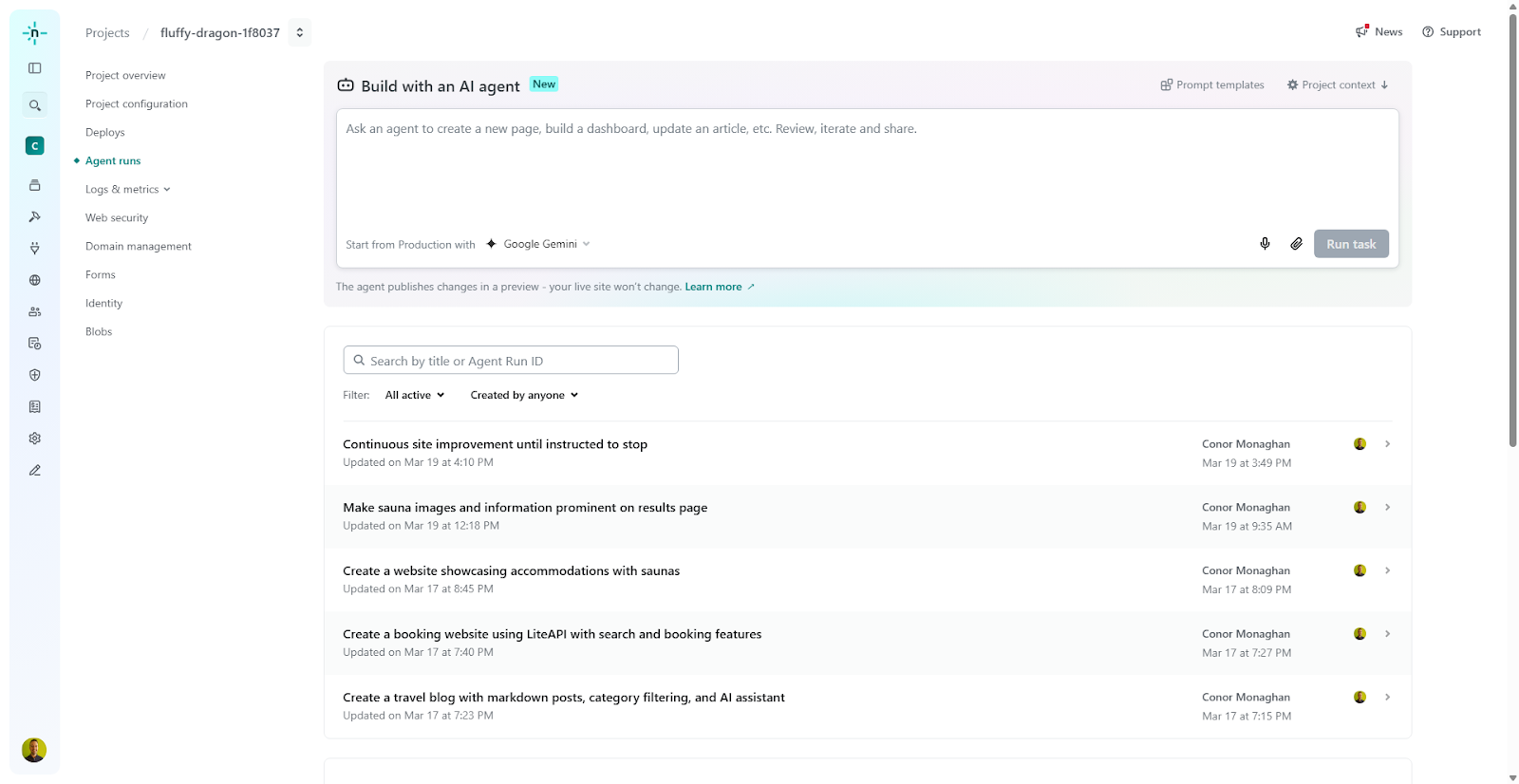
The first build cost 149 credits, and it’s nice that you can see that information upfront. The agent even used Netlify’s AI Gateway to create a travel assistant chatbot for the site, so I had a working chatbot, styled and everything, right out of the box.
Making changes without the headache
Here’s something I really like about this tool. When you want to make changes, the agent publishes them to a preview first.
It works like a GitHub-style preview workflow, you can review changes and then decide to publish, but you don’t actually need to use GitHub. You just make changes, check the preview, and hit publish.
For people who find the GitHub workflow intimidating or unnecessary for smaller projects, this is a big deal.
This is probably the most powerful part for me. For more complex projects, I still rely on Claude Code or connect to APIs like Firecrawl. But for simpler builds, starting there doesn’t always make sense anymore.
Back to my build.
Adding real data with an API
To push things further, I integrated the Lite API to let people search for hotels on the site. The agent handled this and opened a new project for me with the updated website.
I searched for hotels in Dublin (I’m from Dublin, Ireland) and got real data back, real hotels, real availability. That’s because we’re pulling from an actual API, not placeholder content.

If I’m happy with the result, I just publish it to production. If I want to tweak something like a button style, I can ask the agent to change it.
The features that stand out
There are a few things that make this tool stand out from other AI builders I’ve used.
Environment Variables
If you’re working with API keys, you can save them directly in your environment variables on Netlify. No messing around with .env files or worrying about exposing secrets.
Observability Dashboard
Netlify has a really nice analytics dashboard for what’s happening on your website. If there’s a problem, you can check the errors.
You can see traffic, performance, and anything else you need. Think of it as the analytics layer for your project.
Database
I’ve found the combination of Agent Runners and Netlify Database to be a powerful combo. I love that you get an isolated environment every time you make an edit, so the agent doesn’t touch your production database.
Here’s what that actually looks like when you’re building with it:
Pre-render extension
If your site is built in a framework that’s difficult for Google to crawl, you can use Netlify’s pre-render extension. This is something I’ve dealt with before on other projects, so it’s great to have it built in because it is super important for SEO.
Who is this for and when to use it?
I think this tool is really good for building fast, simple websites. The kind of sites where you want to just get something live and working without spending hours on setup and deployment.
If you need a portfolio site, a blog, a landing page, or even a simple web app with an API integration, this is a great option.
I really like having everything in one platform, domain names, hosting, deployment, databases, analytics.
You don’t need to jump between five different services to get a website live.
From now on, I will use Agent Runners if I want to create something simple like a one-shot website, like free lead magnet tools. These are fantastic for SEO.
For something more involved with APIs, MCPs, or lots of backend logic from the start, I will start in Claude Code and deploy with the Netlify CLI.
Final Thoughts
I found that Agent Runners removes a lot of the friction that comes with building and deploying web projects.
You don’t need to worry about GitHub, you don’t need to figure out hosting, and you don’t need to stitch together a bunch of tools.
You describe what you want, the agent builds it, and it’s live. Then you iterate from there.
I would recommend it to anyone who is trying to get started building or if you are building and need to keep things updated on a regular basis.