New `netlify logs` CLI command
May 1, 2026
The Netlify CLI now includes a netlify logs command, giving you a powerful and flexible way to access logs for your projects whether you’re a developer debugging locally or an AI agent processing structured output.
Filter by source
Use --source to pull logs from functions, edge functions, deploys, or any combination of them together. Color-coded output makes it easy to tell sources apart at a glance when you’re tailing multiple at once.
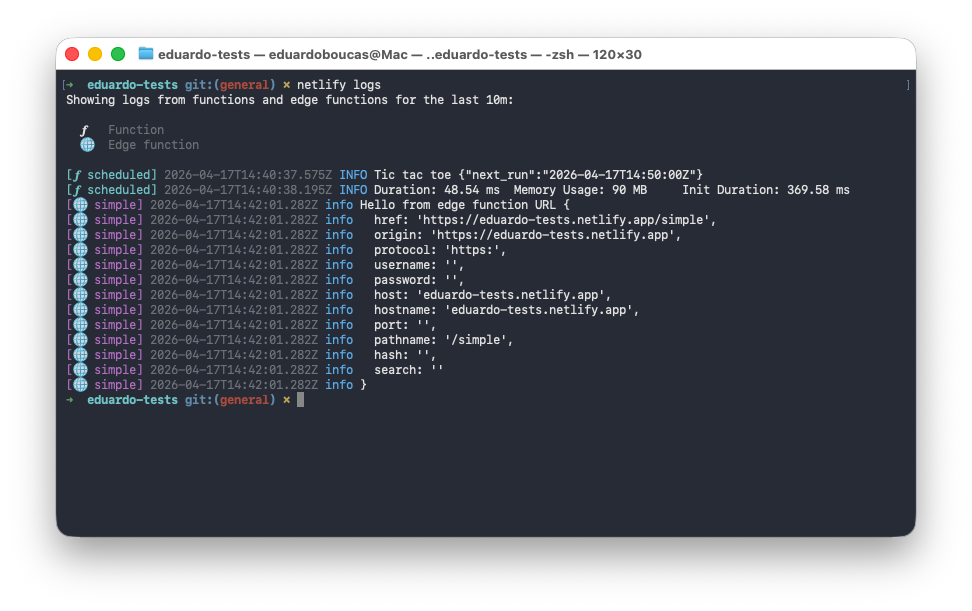
Need to narrow it down further? The --function and --edge-function flags let you filter to a specific function by name, and --url lets you target the exact deploy you want logs from.
Historical and real-time views
The --since and --until flags let you query logs over any specific time window — useful for tracking down what happened during a past deploy or incident. When you want to watch logs as they come in, --follow streams them in real time.
JSON Lines support
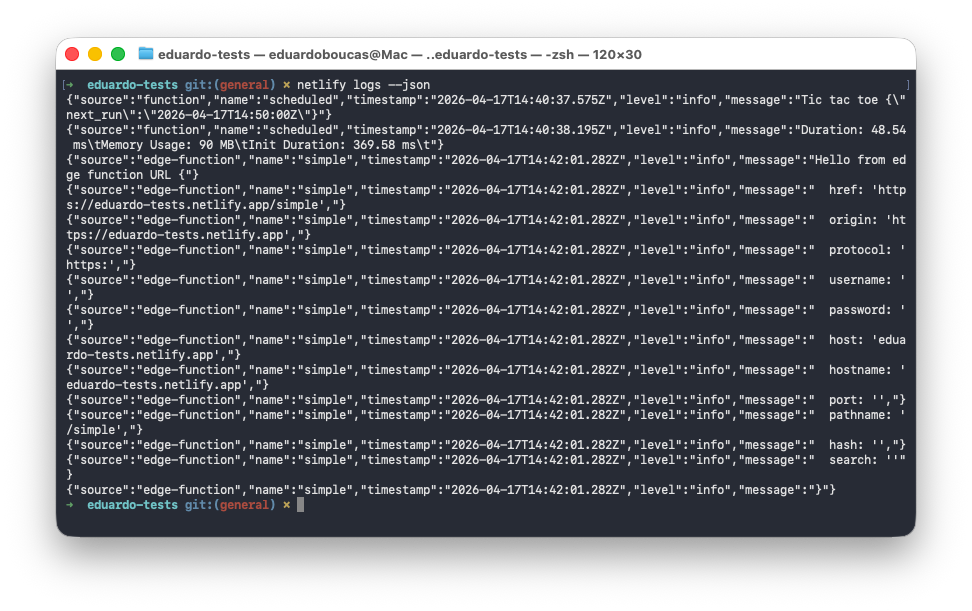
Pass --json to get structured output in JSON Lines format. This works in both historical and real-time modes, making netlify logs easy to pipe into your own tooling or integrate into automated workflows.
Update to the latest Netlify CLI to start using it:
npm install -g netlify-cli@latestThen run netlify logs --help to see all available options.