Posts tagged "Cli-announcement"
-
The Netlify CLI now includes a
netlify logscommand, giving you a powerful and flexible way to access logs for your projects whether you’re a developer debugging locally or an AI agent processing structured output.Filter by source
Use
--sourceto pull logs from functions, edge functions, deploys, or any combination of them together. Color-coded output makes it easy to tell sources apart at a glance when you’re tailing multiple at once.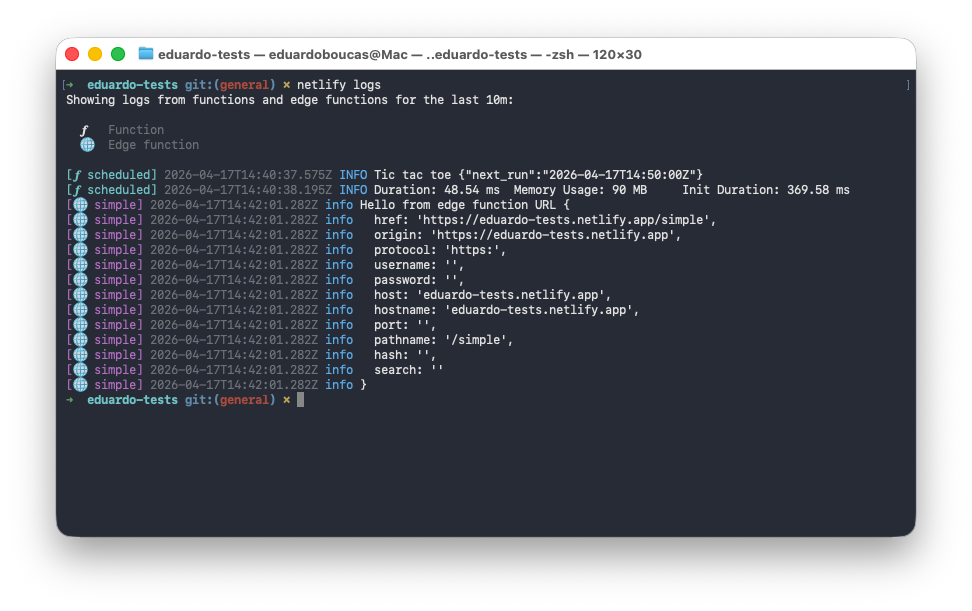
Need to narrow it down further? The
--functionand--edge-functionflags let you filter to a specific function by name, and--urllets you target the exact deploy you want logs from.Historical and real-time views
The
--sinceand--untilflags let you query logs over any specific time window — useful for tracking down what happened during a past deploy or incident. When you want to watch logs as they come in,--followstreams them in real time.JSON Lines support
Pass
--jsonto get structured output in JSON Lines format. This works in both historical and real-time modes, makingnetlify logseasy to pipe into your own tooling or integrate into automated workflows.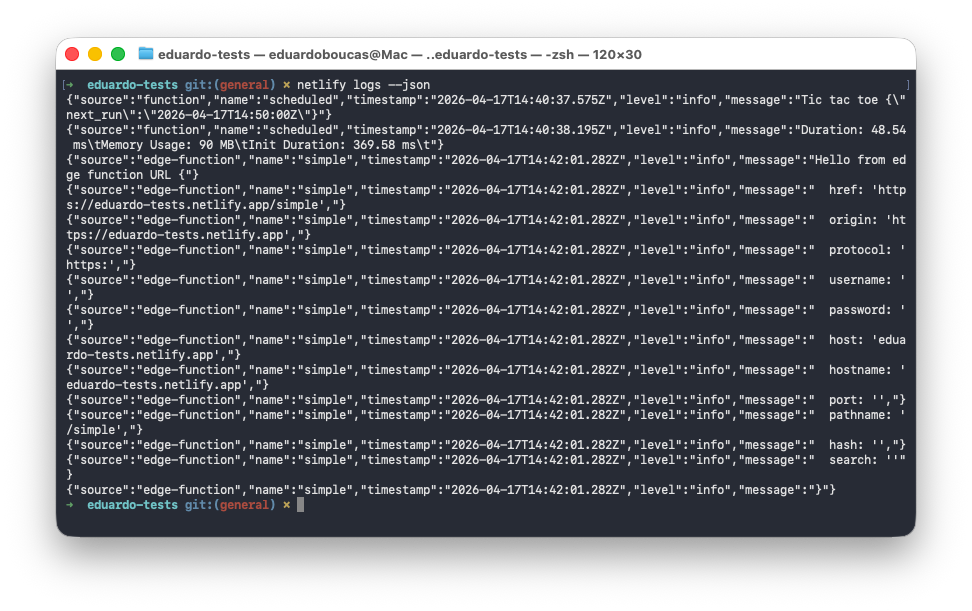
Update to the latest Netlify CLI to start using it:
npm install -g netlify-cli@latestThen run
netlify logs --helpto see all available options. -
We’ve improved the Netlify CLI’s Agent Experience to make it the fastest way for both developers and AI agents to go from idea to deployed site. Here’s what’s new.
Create a new project from a prompt
The
netlify createcommand now builds you a new site from scratch, triggering Agent Runners:netlify create "a landing page for a SaaS product with a waitlist signup"This single command will:
- Create a new Netlify project for you
- Deploy it to a live URL
- Pull down the code so you can start iterating locally
Prefer to build with GitHub? The Netlify CLI can also create a new GitHub repo and automatically hook it up to your new Netlify project, no manual setup required.
Deploy without an account
Need to spin up something quick without creating an account first or signing in? The new
--allow-anonymousflag lets you deploy without a Netlify account:netlify deploy --allow-anonymousThis will create the project, deploy it to a live URL, and let you claim the project within an hour. This is especially useful for AI agents that need to create temporary projects without requiring Netlify credentials upfront.
Better agent experience throughout
We’ve resolved the major issues agents commonly hit with the CLI. The CLI is now a more predictable integration point whether you’re building with an AI coding assistant or orchestrating your own agents.
Install or update the Netlify CLI to try it out:
npm install -g netlify-cli@latest -
Skew protection is now available for deploys triggered from the CLI starting with the Netlify CLI version 23.11.0 and above. Previously, skew protection did not work with CLI workflows.
To upgrade your Netlify CLI version:
npm update -g netlify-cliNote that if you use
npxwhen you run your Netlify CLI commands, you will always use the latest Netlify CLI version.Learn more about the benefits of skew protection, including more stable user experiences and preventing server-client version mismatch errors in our docs.