Posts tagged "Ax"
-
We’ve improved the Netlify CLI’s Agent Experience to make it the fastest way for both developers and AI agents to go from idea to deployed site. Here’s what’s new.
Create a new project from a prompt
The
netlify createcommand now builds you a new site from scratch, triggering Agent Runners:netlify create "a landing page for a SaaS product with a waitlist signup"This single command will:
- Create a new Netlify project for you
- Deploy it to a live URL
- Pull down the code so you can start iterating locally
Prefer to build with GitHub? The Netlify CLI can also create a new GitHub repo and automatically hook it up to your new Netlify project, no manual setup required.
Deploy without an account
Need to spin up something quick without creating an account first or signing in? The new
--allow-anonymousflag lets you deploy without a Netlify account:netlify deploy --allow-anonymousThis will create the project, deploy it to a live URL, and let you claim the project within an hour. This is especially useful for AI agents that need to create temporary projects without requiring Netlify credentials upfront.
Better agent experience throughout
We’ve resolved the major issues agents commonly hit with the CLI. The CLI is now a more predictable integration point whether you’re building with an AI coding assistant or orchestrating your own agents.
Install or update the Netlify CLI to try it out:
npm install -g netlify-cli@latest -
You can now install the Netlify MCP on Cursor with a single click.

Check out our docs on the Netlify MCP server here.
-
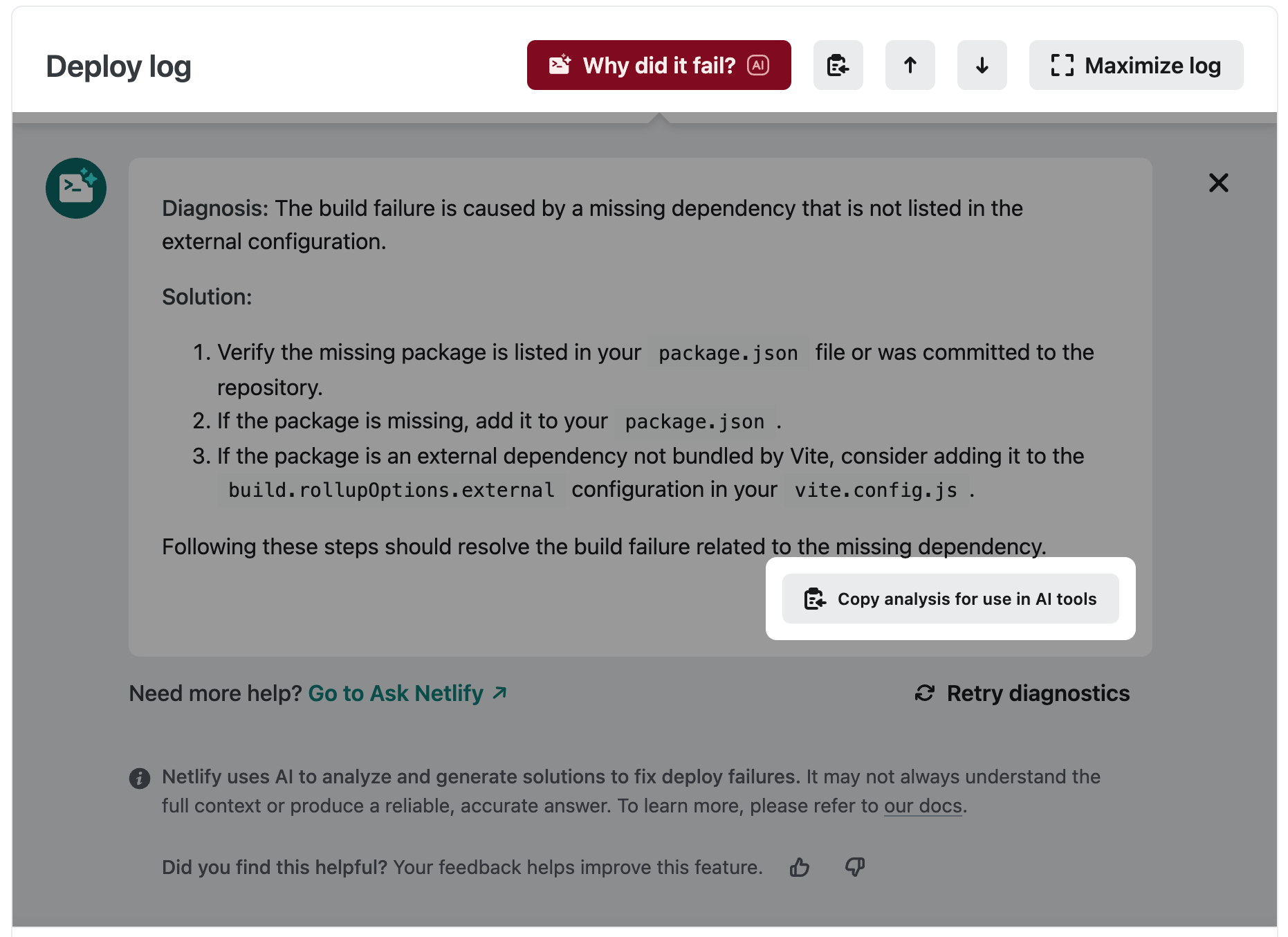
Our “Why did it fail?” feature now integrates better with your chosen AI-powered development workflows. When our AI shares its diagnosis and proposed solution, the “Copy analysis for use in AI tools” button will copy to clipboard:
- The relevant error log lines from your deploy
- Diagnosis of the problem
- The proposed solution
This is ready to paste into your AI tool of choice, unlocking a closer feedback loop to speed up bug resolution and get your deploy up and running error-free!
-
Build, deploy, and host Model Context Protocol (MCP) servers on Netlify today. This emerging protocol lets you expose tools, resources, and prompts to AI agents via the open MCP standard. This helps streamline creating good agent experiences and bringing powerful context-aware capabilities to the AI applications your end users are relying upon.
Read the “Building MCPs with Netlify” developer guide by Sean Roberts to get started.
-
Netlify now makes it even easier to deploy zipped site builds with improved support for multipart/form-data. The updated deploy flow encourages developers to include a title field — a descriptive message similar to a git commit — explaining the purpose of the deploy. This title appears in the Netlify UI, helping teams track changes, review builds faster, and maintain better deploy hygiene.
Zip it, tag it, ship it 🚀 Get started with this developer guide.
-
When using the Netlify context files in Cursor or Windsurf, whenever the agents generate code with Netlify Forms, they will add the honeypot field to make your forms more secure by default.
-
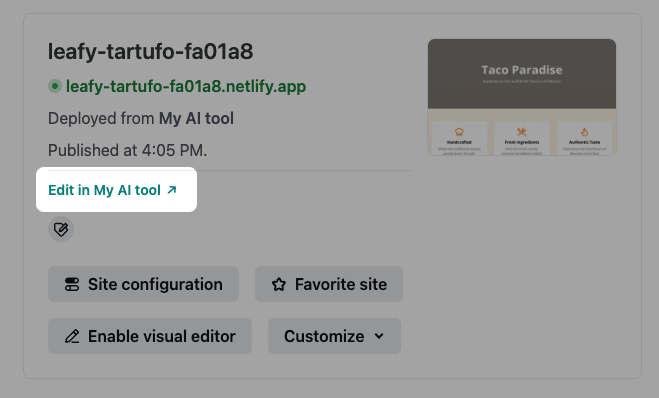
When using a partner integration to deploy your site, the partner may now include helpful links back into their platform which you’ll see in the site overview page.
This will make it more seamless for you to move between the Netlify UI and your chosen integration for making changes to your site.
Learn more about including
deploy_originmetadata from our guide on deploying sites from AI tools. -
Following the release of a new API for partners to deploy fullstack apps, we’re now introducing another addition, an API to access Functions and Edge Functions logs.
AI agents and integrations can now analyze more of Netlify logs in real-time to troubleshoot issues with deploys and functions automatically.
Ready to use it? Check out this guide!
-
Following the release of a new API for partners to deploy fullstack apps, we’re now introducing another powerful addition, an API to access deployment logs.
AI agents and integrations can now analyze logs in real-time to troubleshoot and fix deployment issues automatically.
Ready to use it? Check out this guide!