With our recent release of Netlify.new and start with AI workflow, tens of thousands of you have started spinning up and deploying brand new ideas straight to the web!
To support builders as they push these new projects out and continue to iterate, we’ve worked on:
- Introducing prompt templates for repeating common tasks and workflows
- Adding Skills to Agent Runners for the right context, taste, and quality
Taking advantage of both should help build confidence in next steps, output quality, and overall better projects! Let’s dive into what prompt templates and skills are, how they are used, and where to get started.
What are prompt templates and when should you use them?
Crafting a solid prompt goes a long way to guarantee a solid output from the models we use. Prompt engineering, a new skill for everyone, has become a whole new focus that leans in on making sure your prompts are written in a way that makes it easy for your agent to understand what is expected of it. We added prompt templates to help in that journey for “what’s next”.
Once you’ve built your project, get your URL, and see it live - the feeling is unmatchable. Suddenly, you’re met with the reality that what’s next is looming over you and figuring out the types of features and ideas to improve the project becomes priority. Prompt templates enter as a way to help you bridge that gap with focused and isolated outcomes, dedicated to improving the project. This can be simple, like adding a new form for email capture wired up to Netlify forms. This can be complicated like taking in the content of your site and creating an AI enabled chat bot for your site, with access to all the models of AI Gateway.
Creating and sharing your own prompt templates
Not only can you explore the dozens of prompt templates we’ve added, but you can contribute your own. Prompt templates you create can be private, exclusive to your team–great for helping other teammates follow best practices or recurring workflows–or made available to the entire Netlify community.
To create a prompt template, from your team dashboard, navigate to a project and select “Agent Runs”.
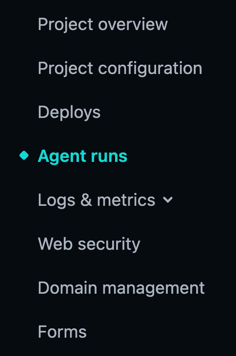
Once there, inside of the Agent Runner prompt box, you should see a “Prompt templates” button. Click this.
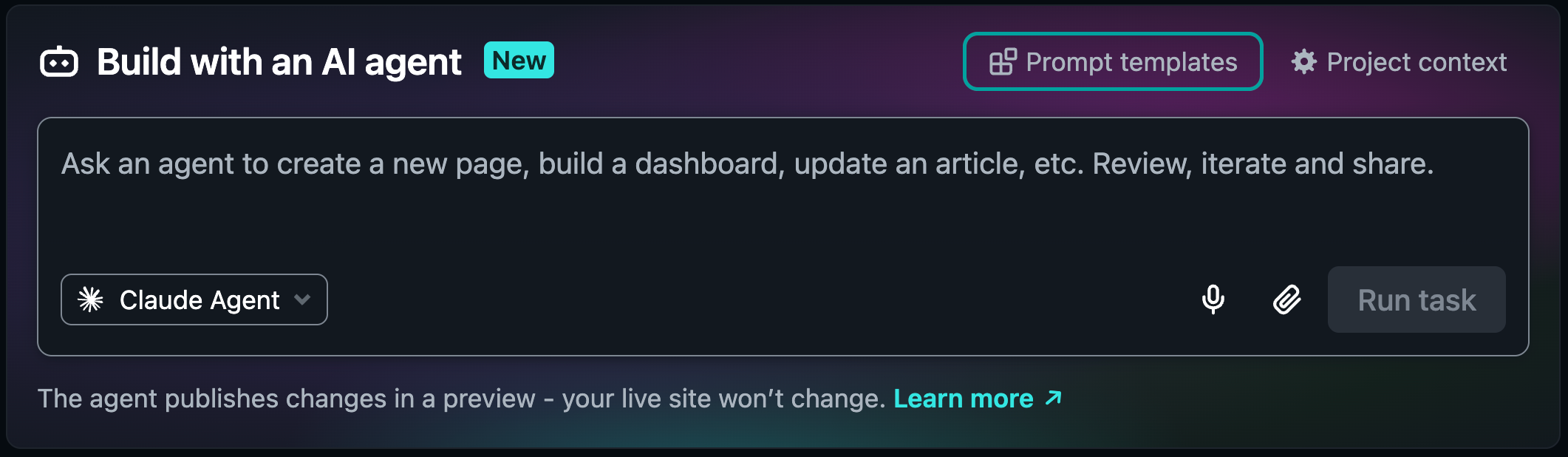
Once you’ve refined a prompt that you think could be useful for your team, select “Add” and fill in the information necessary to submit. Once submitted, it will be accessible by anyone on the same team as you!
If you’d like to make this template public, it’s as simple as submitting the template for review. Once submitted, you will see your update status to see if it was approved or rejected. These templates are versioned and can be edited & re-submitted whenever!
Once your template is approved to be public, you and the rest of the community, will be able to use our prompt template browser in the docs to find and use any of the templates publicly listed either in Agent Runners directly or copy and use in any of the agent harnesses you use to build your projects!
What are Skills and how are they used?
Prompt templates help solve for drafting a great prompt towards the outcome you want, but they don’t solve an agent knowing how to use the platform. To support you there, we added Netlify Skills to Agent Runners.
Anthropic has defined skills as:
…reusable, filesystem-based resources that provide Claude with domain-specific expertise: workflows, context, and best practices that transform general-purpose agents into specialists. Unlike prompts (conversation-level instructions for one-off tasks), Skills load on-demand and eliminate the need to repeatedly provide the same guidance across multiple conversations.
Skills package up expertise, taste, and directions in a way an agent can consume repeatedly to assist in more consistent output. A skill is defined inside of a SKILL.md file and held sometimes at the project level and sometimes globally in your computer (so tools like Claude, Codex, etc can use them across projects.)
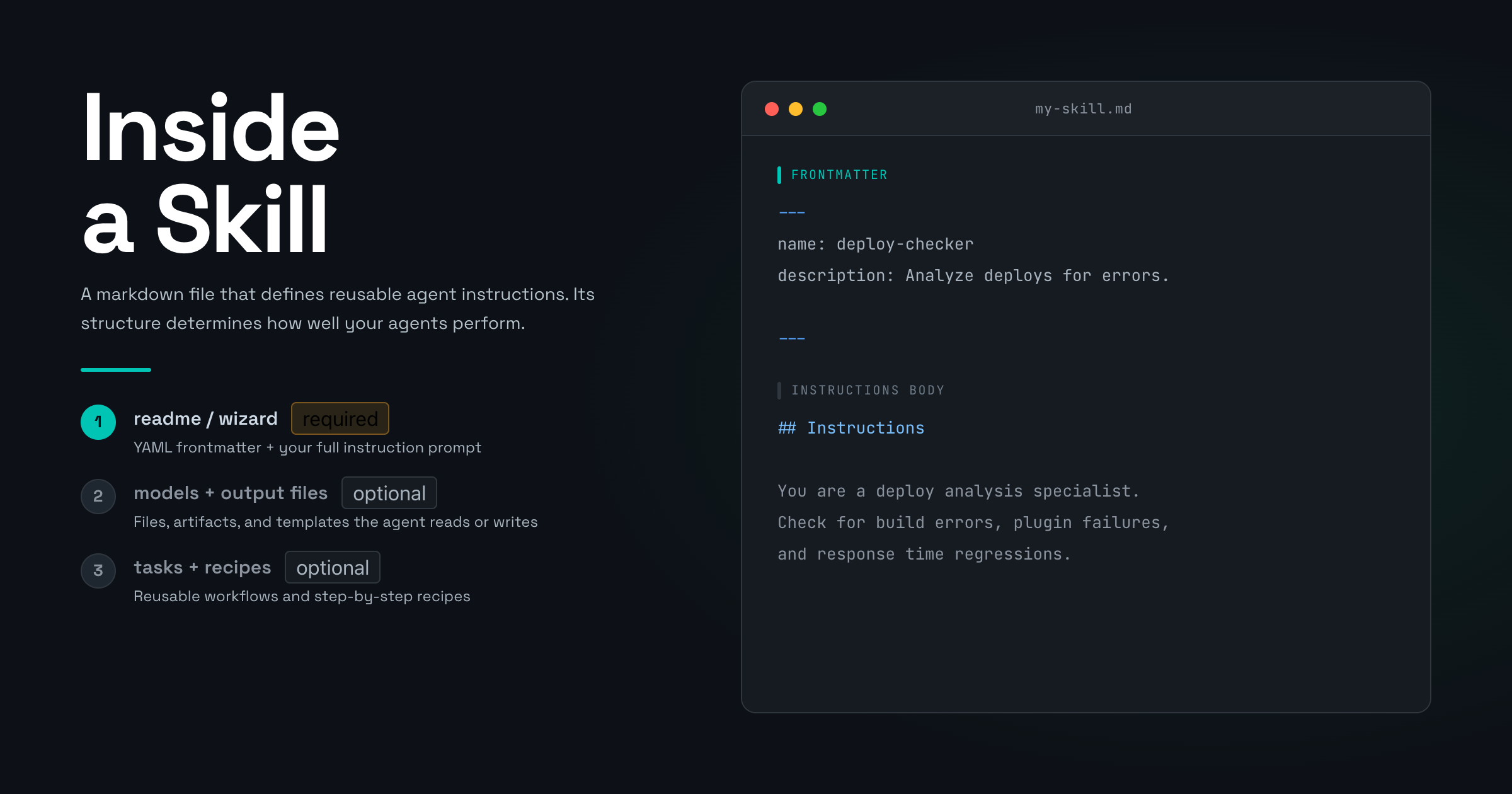
Our Agent Runners have Netlify specific skills embedded in it’s workflows to assist you with:
- Using our primitives while building new features in your project
- Making sure the agent has access to current and up to date information about our primitives
- Building a core layer to your project for a more consistent output
For example, when needing to get data from an external source into your project with serverless functions, the Runner will pick up the outcome you’re looking for, assess the skills it has access to, and pull in the functions skill to make sure the serverless function is written in a way that Netlify expects it and with proper best practices built in to it’s structure.
Conclusion
As you can see we’re focused on giving you all the tools you’ll need to build the next best thing. Between Skills and prompt templates all you need is an idea to get started! We’ve curated a collection of these to help you continue building your project and hope to see even more coming in from the broader community.
If you’re looking for support on prompt templates, feel free to reach out to me on any social platform! I’d love to help you while you build, while you ideate, or just to share the cool stuff you’re working on.
See you next time!