Ever worried about a URL being shared too soon or more widely than you intended? It’s your project: we think you should be in full control of exactly how sharing works.
Starting today, new teams on Netlify’s Credit-based plans get private projects by default. Existing teams can turn it on in team settings. Build, deploy, and preview as usual, nothing is publicly accessible until you make it public.
For most of Netlify’s history, every new project deployed straight to a public URL. That made sense when deploying was the hard part and nearly everything you shipped was meant to be seen.
That is no longer how many projects begin. More people are shipping prototypes, internal tools, early client work, and projects built with agents. A deploy is often a work in progress, not a publication. Netlify now reflects that distinction.
This opens up whole new workflows
- Individuals on Free & Personal plans can keep their work private until it’s ready to launch, or build personal sites and apps that stay private.
- Teams on the Pro plan can collaborate privately on projects before launch, plus build internal apps limited to only to invited team members.
- Every Netlify team on Free, Personal, and Pro Credit-based plans now controls exactly what’s public (and what stays private) from the first deploy preview to the main production site.
Private from the first deploy
When private by default is enabled for your team, every new project starts private, however you create it: through a Git import, Netlify Drop, the Netlify CLI, Agent Runners, the Deploy to Netlify button, or the API.
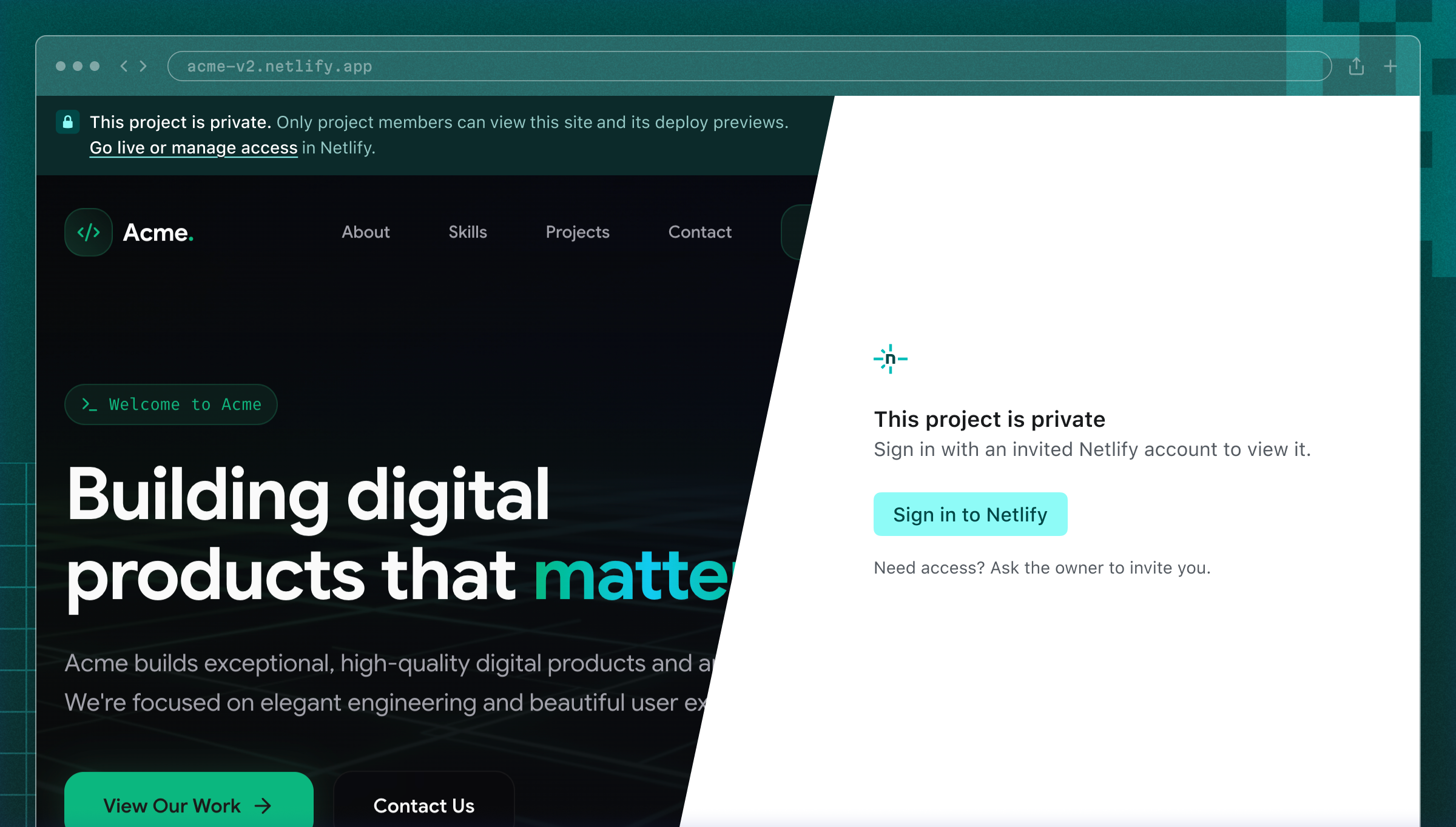
Private projects are protected by Netlify login. Team members and invited collaborators can sign in to view the site, where a banner makes its private status clear. Everyone else sees a Netlify page explaining that they do not have access and can request it from you.
There is no password to create, share, or rotate. Access follows your Netlify team. You can set defaults for your team, then adjust them for individual projects.
Existing teams can opt in under Team settings > General > Visitor access > Default project visibility. The change applies only to projects created afterward, so anything already public stays public.
Share it when you are ready
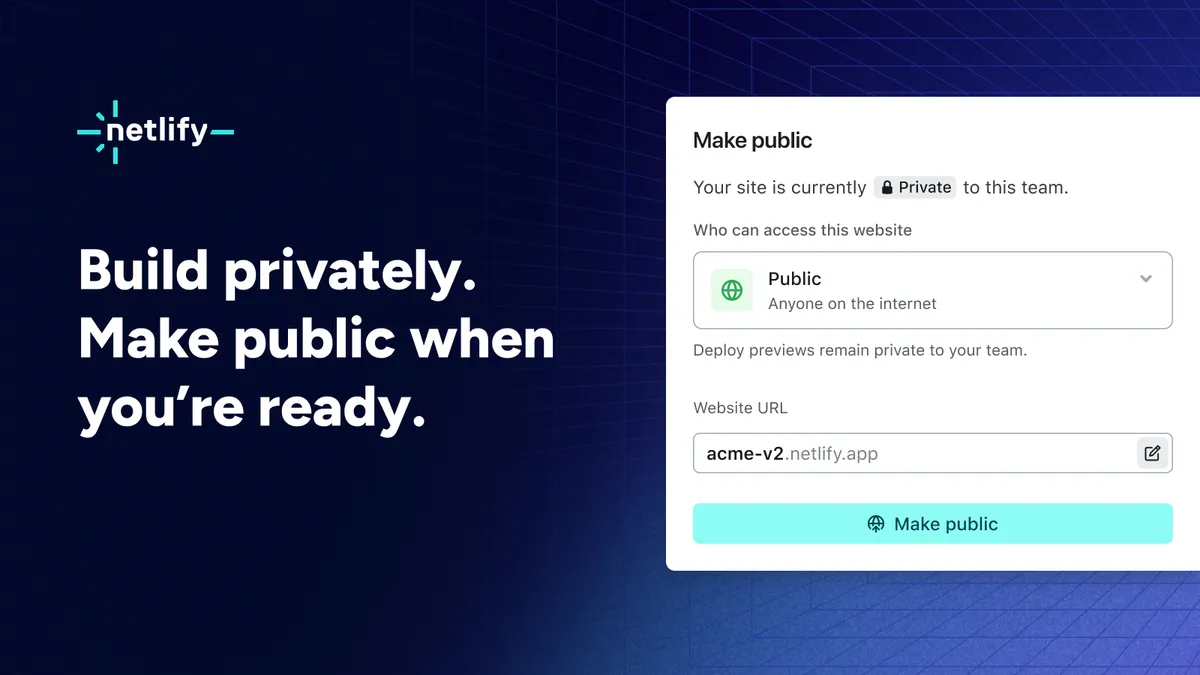
After a project’s first successful deploy, a Make public action brings the next steps together. From there, you can:
- Make the project public.
- Rename it, which also updates its
netlify.appsubdomain. - Keep it private and invite collaborators.
Making a project public exposes its production deploys. Its previews remain private unless you change their visibility separately. You can move a project between public and private at any time.
Collaborate without publishing
Sharing a private project works much like sharing a document: invite someone by email, choose their role, and give them access to that project without adding them to your entire team.
On Free and Personal plans, a private project is visible only to its owner. On Pro plans, you can invite unlimited members to an individual project or to the whole team.
Availability
Default project visibility is available on Free, Personal, and Pro Credit-based plans, and is enabled automatically for new teams.
Existing teams can change the default in Team settings > General > Visitor access > Default project visibility.
Team Owners choose from three policies:
- Private for new projects
- Private for all projects
- Public
Enterprise, open source, and legacy plans keep their current behavior. Pro plans still support basic passwords.
Read the project visibility documentation for full details, or visit your team settings to turn on private by default.