Prompt and preview in one view with Agent Runners
September 28, 2026
Agent Runners now shows you a preview right next to your prompt.
Previously, you’d get a link to the Deploy Preview and have to open it in a separate tab to see what the agent changed. Now the preview appears inline, so you can review the result and write your next prompt without switching back and forth. Plus, you can still access the Deploy Preview link if you need it.
This makes iterating with an agent feel more like a conversation. See what changed, spot what’s off, and follow up with the next instruction, all in one view.
Example flow
For example, say you’re building a strategic task organizer and prompt your agent to add a button that generates a quarterly impact report. Now you can watch your agent’s updates in the side preview next to your prompt.
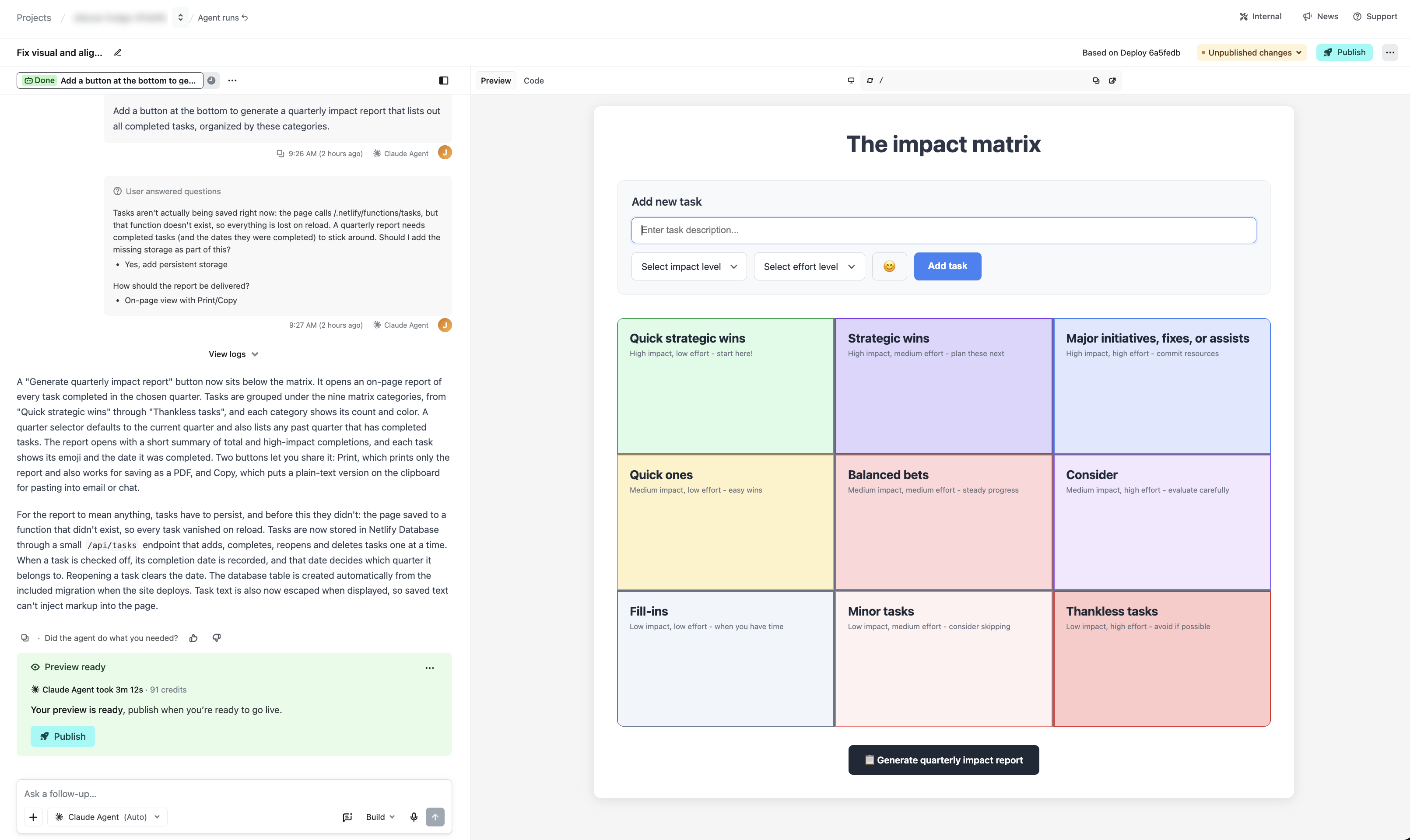
In this example, your agent on Netlify will also let you know if your project cannot save your tasks across browser sessions yet, and you can approve adding a database in the same view.
This is just one example of how Netlify gives you professional-grade capabilities, such as a real working database, with your agent of choice when you prompt with Agent Runners.
Try it out
See it in action when you start a new agent run or learn more about working with agents on Netlify.