Check your Netlify deploys without leaving the conversation
November 3, 2026
You can now check on your deploys right where you’re working. Netlify MCP gives you a visual overview of your project’s deploys in ChatGPT and other clients that support MCP Apps, so you don’t need to switch to the Netlify dashboard to see whether your latest deploy went live or why it failed.
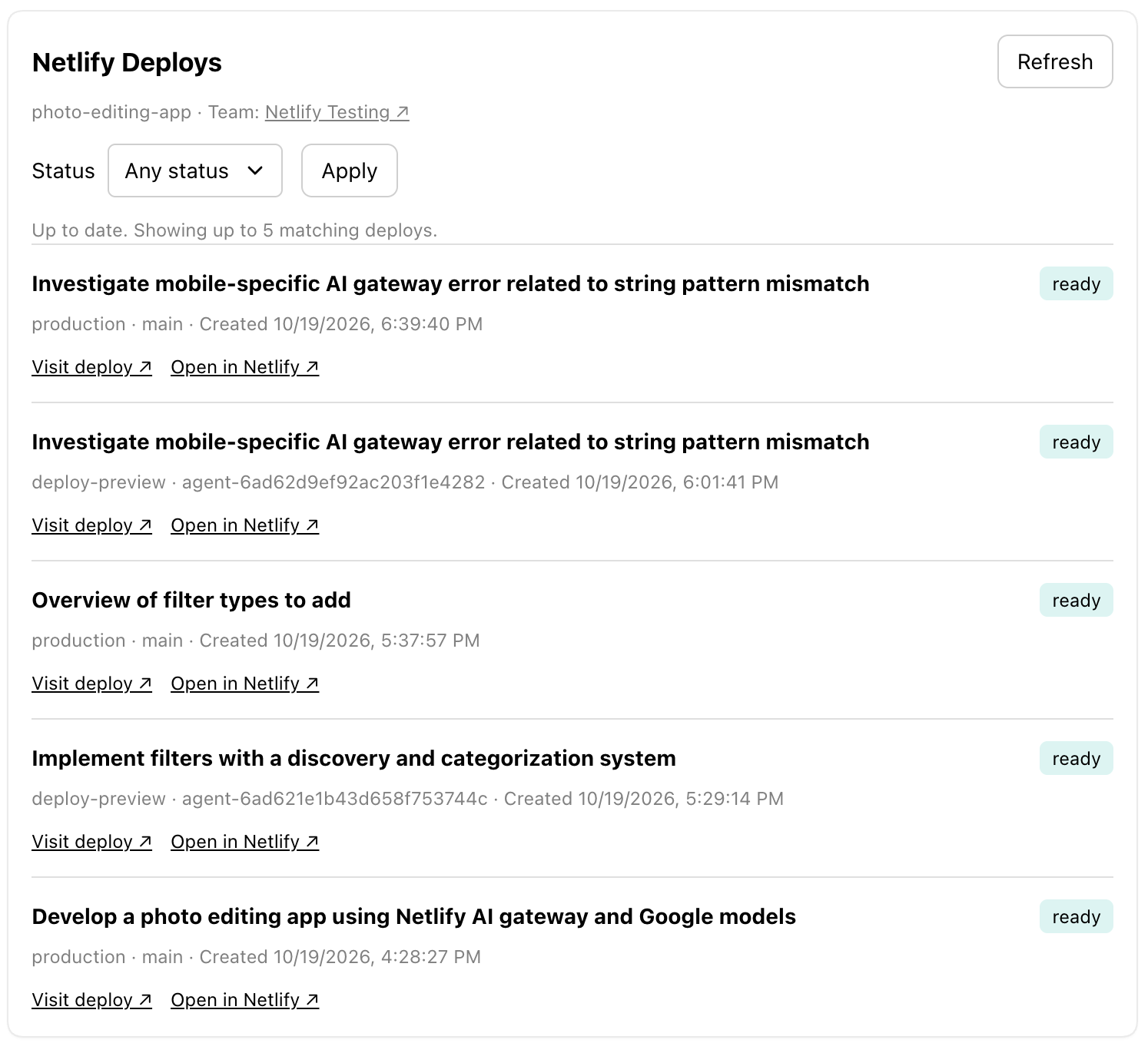
Ask “Show recent deploys for my project” to open a card with up to five recent deploys, or ask about a specific deploy. Each deploy shows its status, branch, creation time, and any error message, with links to visit the deployed site or inspect the deploy in Netlify. Status filters help you find successful, unsuccessful, or queued deploys, and team details give you context for the project.
While any of the deploys on the card are still in progress, the card refreshes automatically, so you can watch a deploy finish without asking again. Automatic refresh stops when they finish or after 15 minutes; select Refresh to check again.
Clients without MCP Apps support receive a text summary instead.
To get started, connect to the Netlify MCP server.