Posts tagged "Build"
-
Watching a deploy? You’ll notice logs now appear faster and more smoothly in the Netlify UI. We’ve reduced log delivery latency and decreased the size of the batches sent to the browser, so output streams in closer to real time.
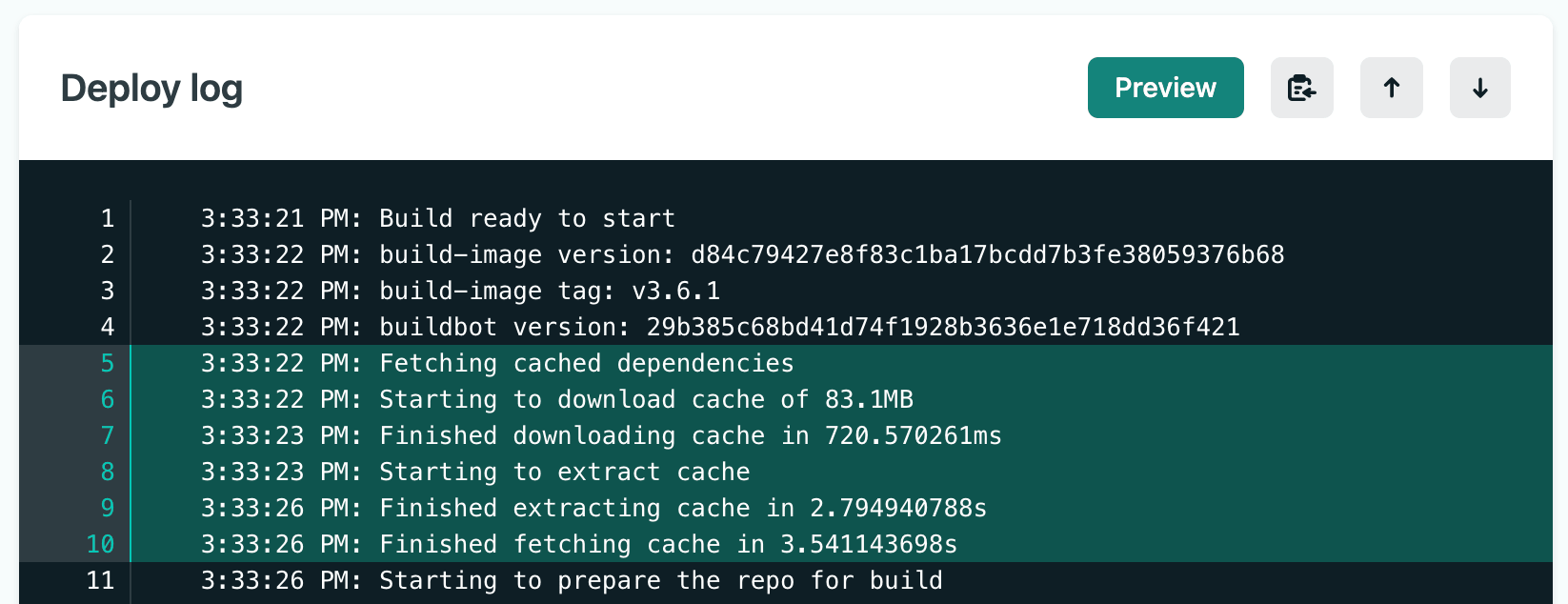
This means less waiting and fewer large chunks of text appearing all at once. Instead, logs flow steadily as your build progresses — making it easier to follow what’s happening and catch issues early.
Deploy logs are available on the detail page of every deploy and show build image details, dependency caching, all standard output from your build, Build Plugin execution, and the final deploy status. For successful deploys, highlights are automatically included in the deploy summary.
You can also share specific log lines with your team — select a line number to highlight it, or shift+click a range to generate a shareable URL. Select the clipboard icon to copy the entire log.
For more details, check out the deploy log documentation.
No changes are required on your end. The improvement applies automatically to all deploy logs viewed on app.netlify.com.
-
The Netlify Cache API now has full support for
stale-while-revalidate(SWR). This was a previous limitation of the Cache API that has now been lifted, thanks to a request from a customer.When using
fetchWithCachewith theswroption, background revalidation is handled automatically. If a response is stale but still within the SWR window, it’s served immediately while a fresh response is fetched and cached in the background.import { fetchWithCache, DAY, HOUR } from "@netlify/cache";import type { Config, Context } from "@netlify/functions";export default async (req: Request, context: Context) => {const response = await fetchWithCache("https://example.com/expensive-api", {ttl: 2 * DAY,swr: HOUR,tags: ["product"],});return response;};export const config: Config = {path: "/api/products",};For users who interact directly with
cache.matchandcache.put, a newneedsRevalidationmethod lets you check whether a cached response is stale and trigger background revalidation manually:import { needsRevalidation, cacheHeaders, MINUTE, HOUR } from "@netlify/cache";import type { Config, Context } from "@netlify/functions";const cache = await caches.open("my-cache");export default async (req: Request, context: Context) => {const request = new Request("https://example.com/expensive-api");const cached = await cache.match(request);if (cached) {if (needsRevalidation(cached)) {context.waitUntil(fetch(request).then((fresh) => {const response = new Response(fresh.body, {headers: {...Object.fromEntries(fresh.headers),...cacheHeaders({ ttl: MINUTE, swr: HOUR }),},});return cache.put(request, response);}));}return cached;}const fresh = await fetch(request);const response = new Response(fresh.body, {headers: {...Object.fromEntries(fresh.headers),...cacheHeaders({ ttl: MINUTE, swr: HOUR }),},});context.waitUntil(cache.put(request, response.clone()));return response;};export const config: Config = {path: "/api/data",};Learn more in the Cache API documentation and the caching overview.
-
When you deploy a project using a ZIP file and the Netlify API, you can now also create branch deploys using the new
branchparameter.While it was always possible to pass a
branchparameter to thehttps://api.netlify.com/api/v1/sites/{site_id}/buildsendpoint, it previously had no effect for deploys made programmatically using the API. Now, when creating a ZIP-based deploy via the API, including thebranchparameter will properly create a branch deploy instead of a production deploy.This means teams using ZIP-based workflows through our API can now take full advantage of Netlify’s branch deploy features like preview URLs, and isolated testing environments for different branches.
To create a branch deploy for a ZIP-based site, simply include the
branchparameter in your API request:curl -X POST \-H "Authorization: Bearer YOUR_TOKEN" \-F "zip=@your-site.zip" \-F "branch=feature-branch" \https://api.netlify.com/api/v1/sites/{site_id}/buildsLearn more about the Netlify API builds endpoint in the documentation.
-
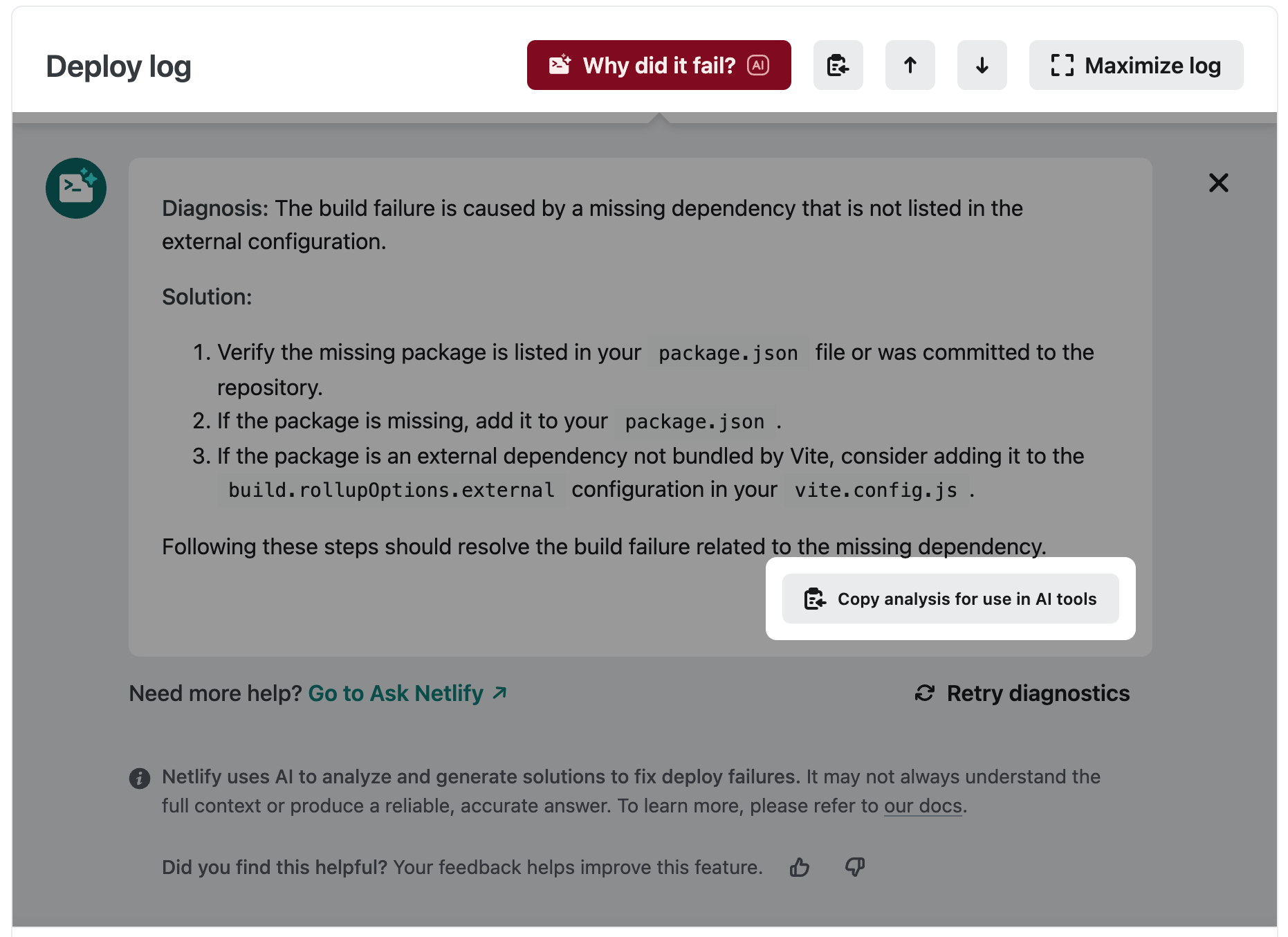
Our “Why did it fail?” feature now integrates better with your chosen AI-powered development workflows. When our AI shares its diagnosis and proposed solution, the “Copy analysis for use in AI tools” button will copy to clipboard:
- The relevant error log lines from your deploy
- Diagnosis of the problem
- The proposed solution
This is ready to paste into your AI tool of choice, unlocking a closer feedback loop to speed up bug resolution and get your deploy up and running error-free!
-
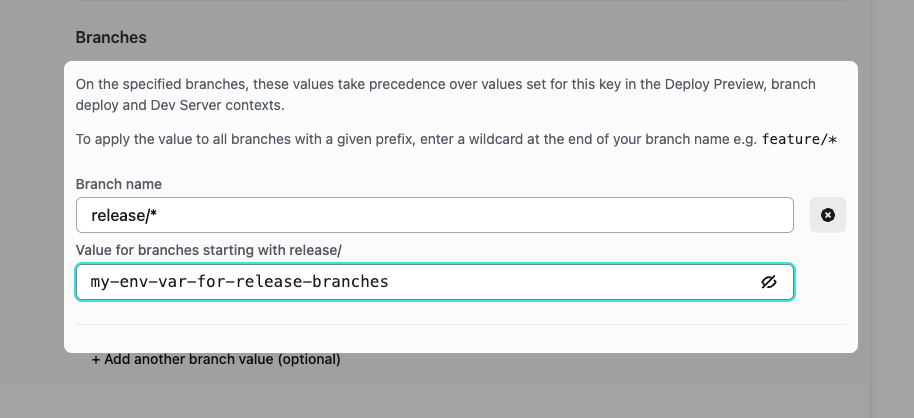
We now support configuring your environment variables to apply a value to groups of branches with a given prefix. Explore the new functionality in Site configuration > Environment variables. When adding a branch value for your environment variable, add a wildcard at the end to apply the value to all branches beginning with the prefix. For example setting the branch name to
release/*will apply the supplied value to branches namedrelease/1.2,release/alpha-0.0.1, and so on.Combine with the ability to configure your site to deploy branches matching selected prefixes to super-charge your branch workflows!
-
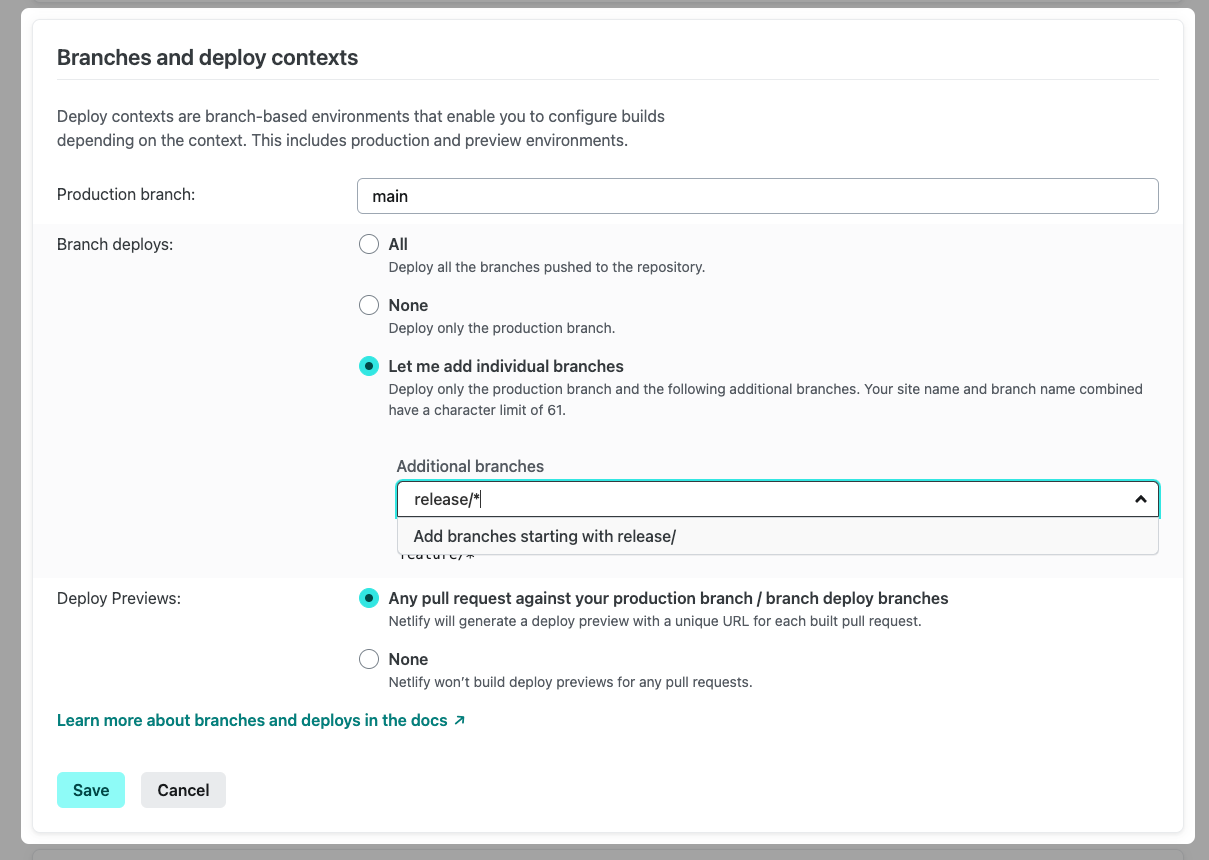
We now support configuring your site to deploy all branches with a specific prefix. Leverage the new functionality by configuring Branch Deploys in Site Configuration > Continuous deployment. Add a wildcard at the end of your prefix to deploy all branches beginning with the given text - for example, enter
release/*to automatically deployrelease/alpha-1,release/v2, and so on.