Development has always been a loop. Write code, deploy it, see how it runs, learn from what breaks, write better code. The faster the loop runs, the better the app gets.
AI changed the speed of the loop, but only at the start. Code generation went from hours to seconds. Everything after it mostly stayed the same – builds still break without explanation, slop or secrets slip through because review can’t keep up, production is a black box until users complain.
If only one part of your loop is fast, your net is still slow.
Most teams and platforms weren’t built for this. Most workflows assume humans are writing code, reviewing it, debugging it. Platforms bolt AI onto one stage and leave teams to stitch the rest together. The loop bottlenecks everywhere except creation.
Netlify is built for the speed AI makes possible. In January, we introduced Agent Experience, the idea that agents should be first-class users of the platform. Since then, we’ve been building toward a complete loop where AI can participate at every stage, not just creation.
Agents don’t just generate code. They deploy it, get feedback when builds fail, and access production data to inform the next iteration. Millions of AI-generated apps have shipped on Netlify, and dozens of coding agents now treat Netlify as a default deploy target.
This week, we’re extending that foundation with three new capabilities:
- Observability for request-level traces and logs
- AI Gateway for built-in model credentials and billing
- Prerender extension for fully rendered HTML that crawlers and AI agents can read
Join us December 17th at 9am PT for a live recap and breakdown of the launches in our Community Drop on YouTube.
Here’s how they fit into the loop and why they matter for when you’re building faster with AI.
Create with AI
The loop starts with creation, and on Netlify, teams can start from anywhere.
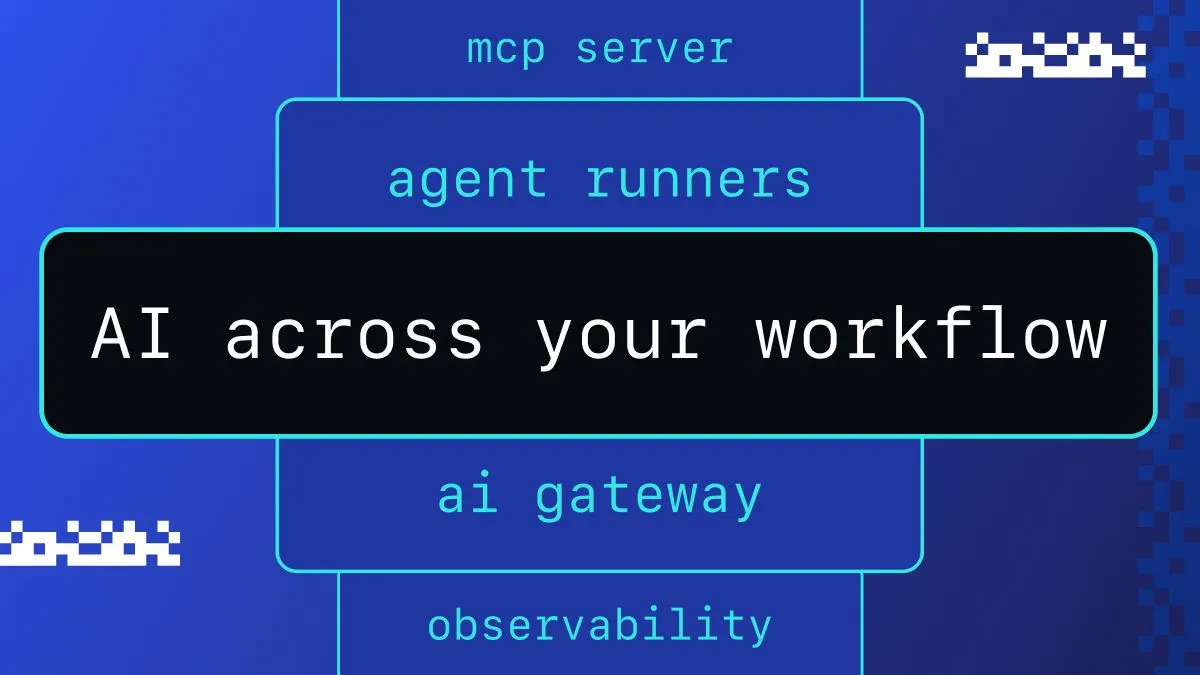
Use Bolt or Lovable to generate a full app and deploy it directly or through GitHub. Work in Cursor or Claude with the Netlify MCP Server bringing the platform into the environment. Or use Agent Runners to access AI agents right in the Netlify dashboard, where they generate previews and pull requests against existing repositories.
The point isn’t which tool a team uses. It’s that creation flows directly into deploy. Generated code is seconds away from a live URL.
This matters because AI-assisted creation isn’t a one-time event. Teams generate, see the result, adjust, regenerate. The faster they can get from idea to live preview, the more iterations they can run. And, as we said at the start, more iterations means better outcomes.
Once the code exists, the next question is whether it actually ships.
Deploy with AI
This is where the loop breaks for most. AI generates code fast, but that code still has to build.
Too often dependencies drift, configs conflict, and edge cases surface that the model didn’t anticipate. And because the code was generated quickly, teams often don’t have the context to debug it quickly.
New risks show up too. Agents can introduce secrets, tokens, or credentials without realizing it. More generated code means more surface area for sensitive data to slip through. Security review processes built for human-paced development can’t keep up.
Netlify keeps the loop moving through the deploy phase instead of stalling it.
Why Did It Fail reads build logs and explains what went wrong in plain language. Not just the exit code, but the underlying cause, what it means for the project, and what to do next. Teams can hand that context back to their preferred tool–or fix with Agent Runners– and get a fix generated in minutes instead of hours.
Secret scanning with smart detection checks every deploy for exposed credentials before it goes live. If an agent or developer commits something sensitive, Netlify flags it immediately. The loop continues with guardrails instead of breaking with incidents.
The result is a faster path through the deploy phase. A build fails or a secret is detected, the platform explains the issue with context, an agent generates a fix and a preview validates the change. Done. What used to take hours of diagnosis now takes minutes.
Run with AI
Production is where the loop completes and where teams learn what to build next.
If production is a black box, the loop stalls. The code shipped, but no one knows if it’s working. Teams can’t see where it’s slow, what’s erroring, or how real traffic behaves. The insights that should inform the next iteration are invisible.
This is the part of the loop we’re expanding this week. Three new capabilities bring the runtime up to the same speed as creation and deploy.
Observability
Request-level visibility, built into Netlify. When something breaks or slows down, teams see exactly where.
Real-time logs show requests flowing through functions. Request traces reveal the full path from edge to origin. Latency percentiles help catch slowdowns before users notice. Error rates surface patterns across regions and time windows.
Issues become traceable. Diagnosis happens in minutes, not hours. And that data can feed back into agents. Paste an error into Agent Runners and get a proposed fix.
AI Gateway
AI-powered apps need to call models. That means managing API keys, handling credentials, routing between providers. It’s operational overhead that slows down both initial development and ongoing iteration.
AI Gateway handles this automatically. Netlify injects credentials for OpenAI, Anthropic, and Google directly into functions and routes calls through our gateway.
import Anthropic from '@anthropic-ai/sdk';
const anthropic = new Anthropic();// AI Gateway provides credentials automatically
const message = await anthropic.messages.create({  model: 'claude-sonnet-4-5-20250929',  messages: [{ role: 'user', content: prompt }]});
Teams or their agents write the code and it works. Netlify handles the keys, the routing, and the billing.
Prerendering
Frameworks like React render content in the browser. That’s great for interactivity, but crawlers, including AI agents trying to understand a site, often don’t execute JavaScript. They see empty pages.
This matters beyond SEO. As more workflows involve AI agents fetching and interpreting web content, your site becomes part of their context. If agents can’t read your content, you’re invisible to the tools your users rely on.
Enable the Prerendering extension and Netlify serves fully rendered HTML to crawlers and AI agents while regular visitors get the usual client-side experience. Your apps become accessible to both humans and agents, letting you deliver your own agent experience to the AI tools interacting with your site.
Iterate faster, with AI and Netlify
Everything we’ve talked about is available now.
Create from anywhere. Agent Runners brings AI coding agents into the dashboard. MCP server brings Netlify into Cursor and Claude. Bolt, Windsurf, Kiro, and more deploy directly to Netlify.
Deploy with confidence. Why Did It Fail explains build errors in plain language. Secret scanning catches exposed credentials before they ship.
Run and fix things. Observability gives teams request traces, logs, and performance data. AI Gateway provides built-in credentials for Anthropic, OpenAI, and Google. Prerendering serves fully rendered HTML to crawlers and AI agents.
With creation, deploy, and run, able to operate at AI speed, the full development loop can fall into place. You can keep pace with how fast code gets generated.
These pieces aren’t the end goal. Today, teams still move between stages: spot an issue in Observability, open Agent Runners, describe the fix, deploy. The stages connect, but humans are still the ones connecting them.
Over time, we’re excited for those boundaries to blur – the platform identifies issues, proposes fixes, and lets teams approve, all in one flow. Production insights feed directly back to agents. The loop accelerates further.
This is where we’re building: one place where agents and developers share the same workflow, the same primitives, and the same ability to ship. We’re excited to help teams iterate the fastest and ship the best experiences.