Inside the new Netlify
A redesigned experience, Connectors for Agent Runners, and a new foundation for fullstack applications.
Last week, more than 100,000 people signed up for Netlify in a single day. That didn’t happen by accident! We’ve spent the last few months watching how people build and how it’s changing, and we’ve rebuilt Netlify around it.
You can now build fullstack applications with agents, connect them to your data and services, and run both the frontend and the backend together on Netlify. And today we’re introducing two significant product experiences that will accelerate this even further:
- A completely redesigned Netlify experience
- Connectors for Agent Runners
These updates, along with last week’s launch of Netlify Server, change who can build on Netlify, how they build, and what they can run. This new experience is designed for builders who know their field and want to build software that solves a real problem. Connectors enable Agent Runners to reach the services that hold your data, business rules, and even code. And Netlify Server provides room for workloads that need a long-running backend. Build, review changes, publish, and keep it running: it can all happen on Netlify!
A new experience built around your application
For the last year, the vast majority of people coming to Netlify haven’t been professional developers. They are experts in finance, marketing, retail, and other fields who simply want to build software to help their work. It is amazing to see how, with Agent Runners on Netlify, more than 500,000 users made more than 1.7 million agent runs, and agent work produced more than 700,000 production deploys in the last 30 days!
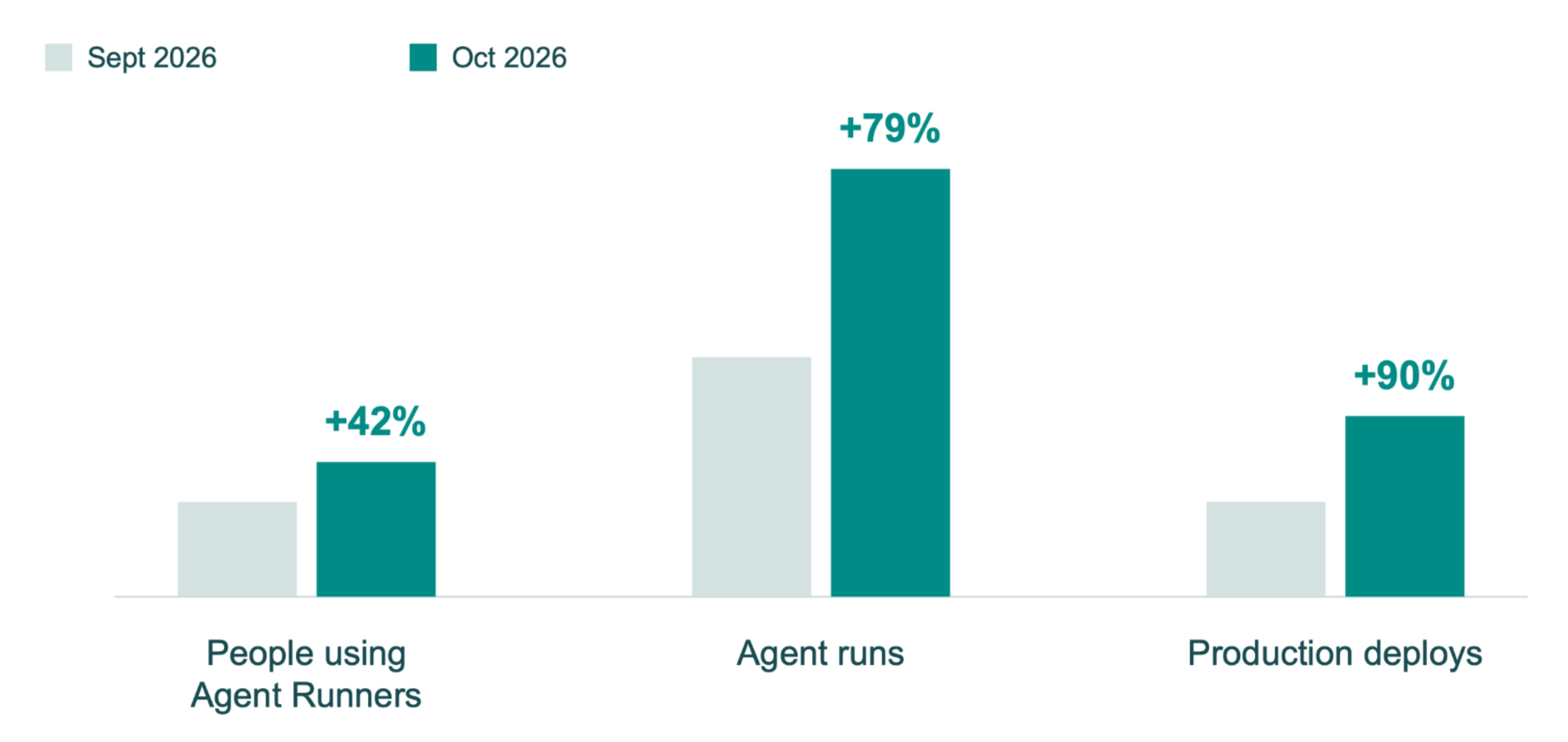
Our user base has fundamentally changed, and so has the way web developers build today. We’ve redesigned Netlify to allow more people to build apps, while improving the experience for the developers who already build on us. It doesn’t matter which tool you use (Git, the CLI, or even an agent): all of them work on the same application, giving you more ways to build, publish, and continue improving your app over time.
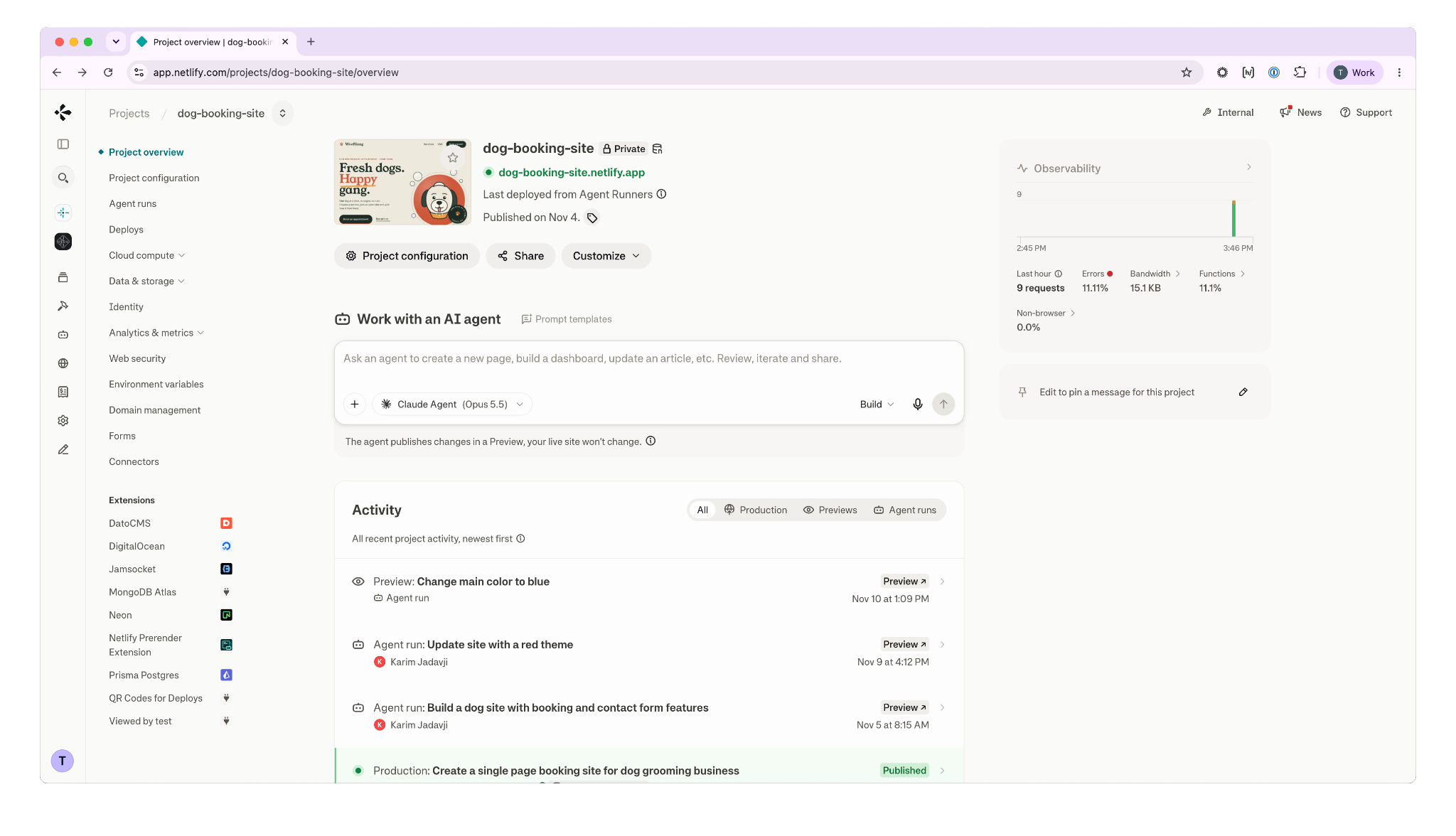
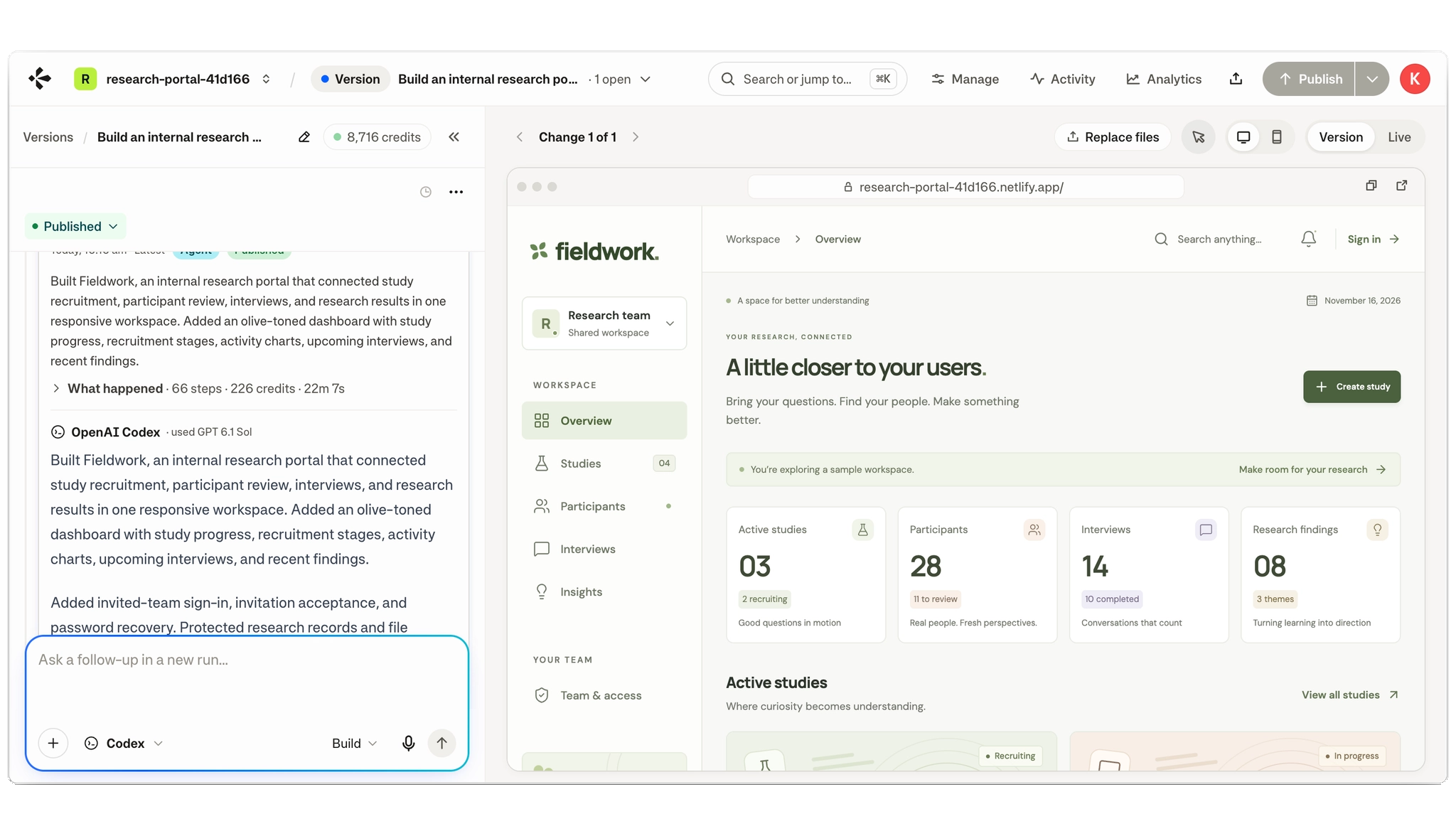
We’ve built the new experience to start with your application. This means that you describe what you want to create and Agent Runners makes it happen, and you can follow along in the preview as it makes changes. Before an agent implements a change, you can ask questions. And so can the agent. Do you want this? How about that? The agent will implement your decision and then you can keep going from there.
Imagine you’re building a website for capturing customer leads. Right from Netlify, you can work on the form, view the submissions, and check out the files that were uploaded. When you’re ready to share, you simply set a domain and decide who has access. There’s no need to learn about the infrastructure in order to understand and manage your application.
You can inspect earlier versions of the application, return to one, and choose when to publish. This means the application can continue to change and you don’t need to instantly push every update out to everyone.
A critical part of building on Netlify is that it’s a multiplayer sport. Sometimes you’re working alone, but oftentimes you’re building with others. What’s great about Netlify is you can use the tools or workflow that best suits how you work:
- Want to work in an IDE or CLI and push your changes to a source control repository? No problem.
- Want to sit in an Agent Run and prompt your changes? That works too.
And the best part is people can work together collaboratively, each using their own tools, and feel confident that what they’re building will all contribute to the same application. Netlify is the place that now fits both the domain expert and the developer, and both have an environment that doesn’t feel like a compromise or an afterthought.
You can even bring in work done by external agents, through our MCP, Drop, or the CLI. This gives you the choice to build it however you want, while still leveraging the Netlify workflow for reviewing and shipping.
Connectors give agents access to the work you’ve already done
Much of what an agent needs to know is already in the tools you use. Perhaps your requirements are in Linear, the spec is in Notion, and the implementation is in GitHub, so why should you have to find all this information yourself and explain to the agent how the pieces fit?
Before, if you wanted to get information into an Agent Runner, you’d often have to find it yourself, copy it into the prompt, and then explain how all the pieces fit together. Gathering the context became a job you had to do before the agent could get started. With Connectors, simply provide the agent the URL to your Notion document and ask it to implement what’s described. If Notion isn’t connected, the prompt will ask you to authorize access. The agent can then read the document and use it in your project.
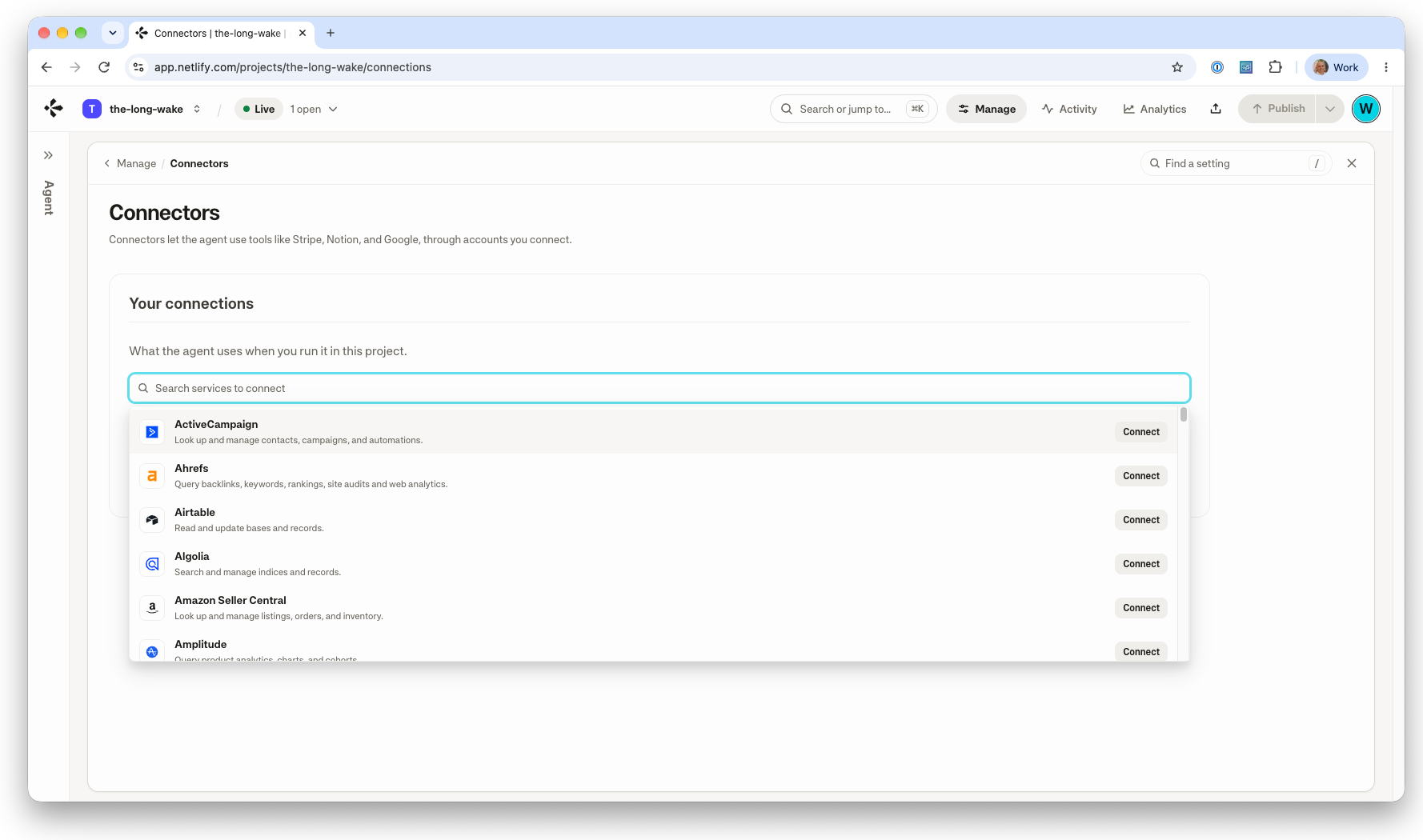
Connectors give agents access to more of what they need to build your application. For example:
- You can ask an agent to use your Stripe products and prices while building a checkout flow.
- You can ask an agent to turn Salesforce customer and opportunity data into an account review dashboard.
- You can ask an agent to run a Snowflake query to generate an interactive report or dashboard.
The agent can read information and take actions using the tools supported by each service, limited by the permissions you have authorized.
It’s important to note that these connections are personal: you connect your account, and your teammate connects theirs. Joining the same Netlify project does not give access to the connected accounts of teammates. And the connection is reusable across projects in your Netlify account, so there’s no need to re-authorize each time.
In the first release of Connectors, we’ve focused on building and testing with Agent Runners. Connectors provide the agent access to use your connected accounts while building but won’t automatically give the deployed application ongoing access. This will come soon.
A new foundation for fullstack applications
Netlify Server removes a significant limit on what can run on Netlify. The first capability on our new compute platform, built on over 10 years running the Netlify infrastructure, is a long-running server. With Netlify Server, we have built a foundation that we can use to support more types of applications and expand what people can build.
Previously, building certain backends meant having to either adapt your application to run with Netlify Functions or choose to host elsewhere. While functions are good for discrete requests and jobs, they aren’t ideal for collaborative applications that need to keep connections open between people (for example, live collaborative apps, multiplayer games that send updates as players act, or agent applications that work through model responses and tools while still serving users). For these cases we’ve introduced Netlify Server.
It gives those applications a long-lived Node.js process that handles multiple requests concurrently. Since one instance of your server can handle all these requests, it won’t block other requests if it’s waiting on a database query or model response. Additionally, since this is an instance that’s alive for the entire life of the server, resources like connection pools, caches, and initialized SDK clients are reusable for the instance’s lifetime.
On the backend, you can build with popular frameworks such as Express, Hono or Fastify, or bring your existing apps without having to rewrite them. Netlify provisions the instances, deploys your code, scales with demand, and monitors them. A developer or coding agent can use a familiar server model alongside the rest of the application.
During the first few days since launching Netlify Server last week, over 10,000 new projects were built, and most of them via agent runs!
We saw one customer ask an agent to create a simulated trading competition, and that project handled hundreds of WebSocket connections during just the first couple of days. WebSockets provide a persistent two-way connection between the browser and the backend, allowing the server to push updates to the browser as they happen (without the need for the browser to re-request). This is perfect for applications like trading competitions (where participants need to see changing information), multiplayer games, shared workspaces, and live chat.
With Netlify Server, your application will be able to save work, store files, use AI models, and send updates to users. Both the frontend and backend run on Netlify.
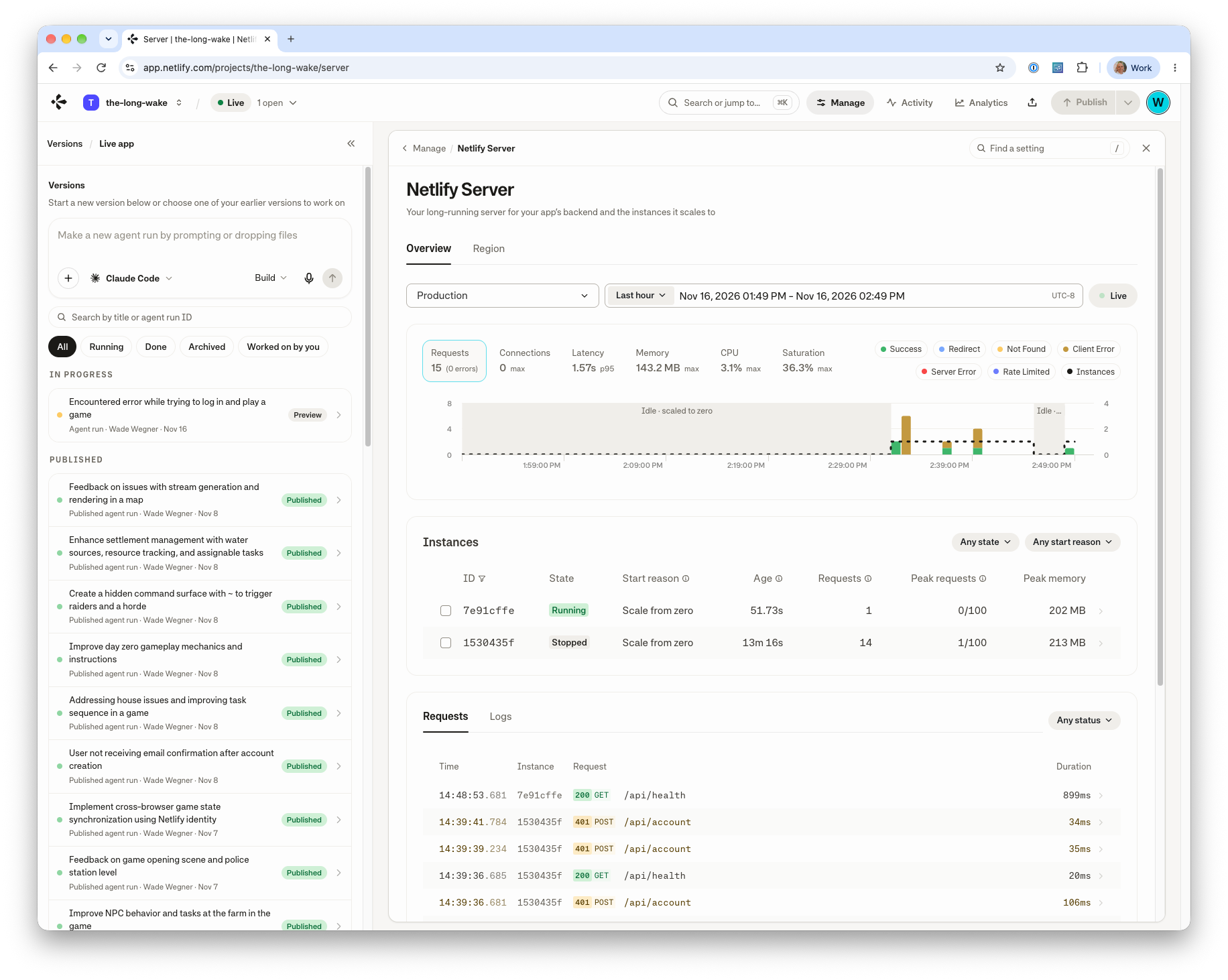
We strongly believe that Netlify Server will open up a multitude of new opportunities for builders. With this new Netlify experience and Connectors with Agent Runners, more people will build applications, and Netlify Server gives those applications somewhere to run, and a place for your backend, data, storage, and AI capabilities. It’s the compute platform underneath that provides the foundation we’ll keep building on.
Start building
I’m pleased to share that new users signing up today can try the new Netlify experience, so sign up today! Existing customers are invited to join the waitlist and get access when it becomes available soon. In the meantime, you can continue using your existing workflows and the current experience as access expands.
I’m very excited to share that we’re rolling out Connectors for Agent Runners to all plans, including Enterprise customers where credits are enabled. Similarly, we’re offering early access to Netlify Server. Usage of Netlify Server is free during this period of early access; other metered features are billed as usual. Please make sure to check the limits before choosing your workflow.
Now, let’s get going! Bring your ideas and imagination, and let’s see what you can build. I’d love to hear about it, and you can reach me on X at @wadewegner.
Written by