You deploy. The build succeeds. Your app is live. But what’s actually happening?
For most teams, the answer means jumping between function logs, log drains, external monitoring tools, and dashboards (plus the extra cost that comes with them). Or worse, waiting until someone reports a slow route before investigating.
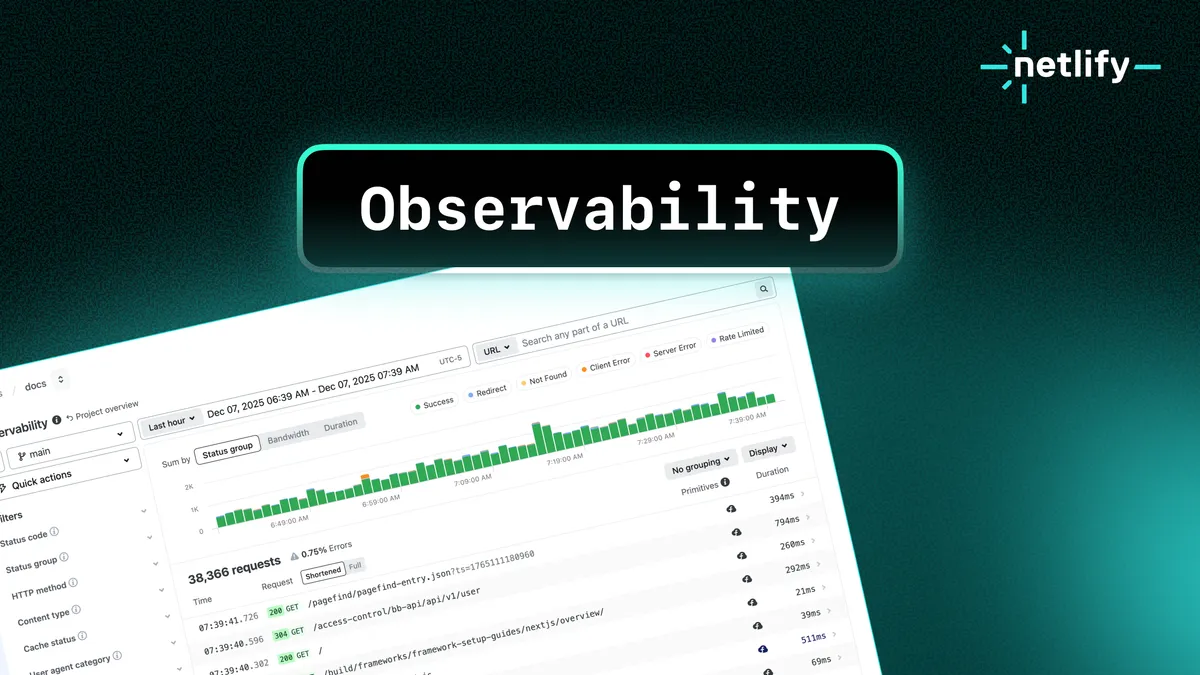
Observability changes that. It’s built into Netlify and gives you visibility into every request, Function, and Edge Function. Deploy your project, and your production data is available immediately in the Netlify Dashboard.
What you get
Observability gives you a unified view of how your app behaves in production:
• Request metrics: path, region, status code, latency
• Function execution: duration, cold starts, and errors for both Functions and Edge Functions
• Usage signals: compute time, bandwidth, and request volume — tied directly to cost
These signals are designed to work together. You can filter and group requests to surface top routes or outliers, search across paths and errors, switch between chart views to understand trends, and take quick actions directly from the dashboard — all without switching tools or losing context.
“With Observability, Netlify gives us instant visibility into how our applications run in production, helping teams identify issues faster and stay focused on delivering reliable, high-quality experiences.”
Mark Hall Senior Director, Digital Technology, Mattel
After you deploy, you can see exactly how your changes behave in production without switching contexts. Best of all, it’s included with all credit-based plans.
- Free and Personal: 1 day of data retention
- Pro: 7 days of data retention
- Enterprise: 30 days of data retention
These retention windows are included with your plan, no add-ons required. On a legacy plan? Update to a credit-based plan to access Observability, Agent Runners, and other new platform capabilities.
Three questions Observability answers immediately
Observability helps you identify slow paths, expensive operations, or broken routes before they become user issues.
1. Slow pages and endpoints
Performance issues are rarely site-wide. More often, a small number of routes or functions quietly slow things down. Observability makes those outliers visible and shows how performance varies by region, cache state, and recent deploys.
What you can surface:
- Endpoints with significantly higher latency than others
- Uncached responses on routes you expected to be cached
- Deploys that introduced slower function or edge behavior
After adjusting caching or refining function code, validate improvements directly in the dashboard.
2. Bandwidth spikes from heavy assets
Bandwidth issues usually come from a small number of assets. Observability shows which files are actually responsible, so oversized images or uncompressed assets are easy to spot.
What you can surface:
- Assets consuming the most bandwidth
- Trends in payload size over time
- Requests consistently delivering larger files than necessary
Optimize the assets or enable Image CDN, then confirm the impact.
3. High 404 rates
Not all 404s are equal. Some affect real users, others come from bots or outdated links. Observability surfaces the most common missing paths and helps you understand where the traffic is coming from.
What you can surface:
- The most frequently requested 404 URLs
- Whether traffic comes from users, bots, or broken external links
- Deploys that introduced or resolved missing routes
Start finding answers
Open your dashboard and navigate to Logs & Metrics > Observability to start exploring your request data.
Beyond the scenarios above, teams also use Observability to identify cache misses on important endpoints, functions invoked more often than intended, edge logic running in regions where it’s not needed, and AI crawler or bot traffic patterns.
Give it a try and let us know what questions you’re answering with it.